Chat with your first app
Let’s connect your first app.
Then just ask:
- ✉️ “Summarize my unread emails — and reply (if needed)”
- 👥 “Gather everything about Client X — from Gmail, Slack, Jira, and Notion.”
The easy way (recommended)
Just tell Leoparo what you need — for example, “summarize my emails” — and it will connect Gmail on its own.
With agent mode on, it connects and runs tools automatically. With agent mode off, it asks for your approval before each app connection or tool call.
Either way, you don’t have to manually connect your apps.
If you still prefer to do it manually, follow the guide below.
Manual setup
Connect your first app
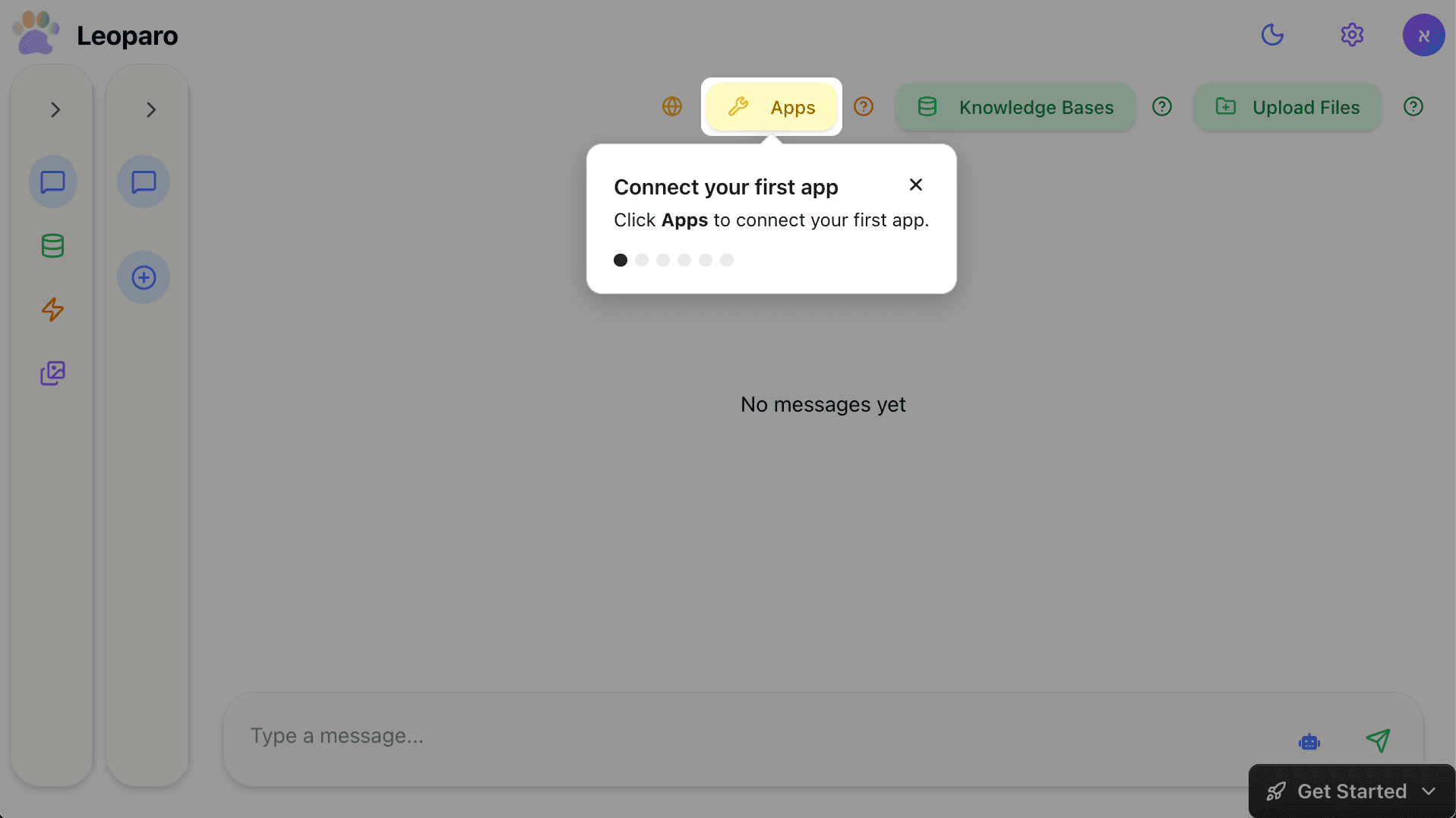
Click Apps to connect your first app.
Find your app
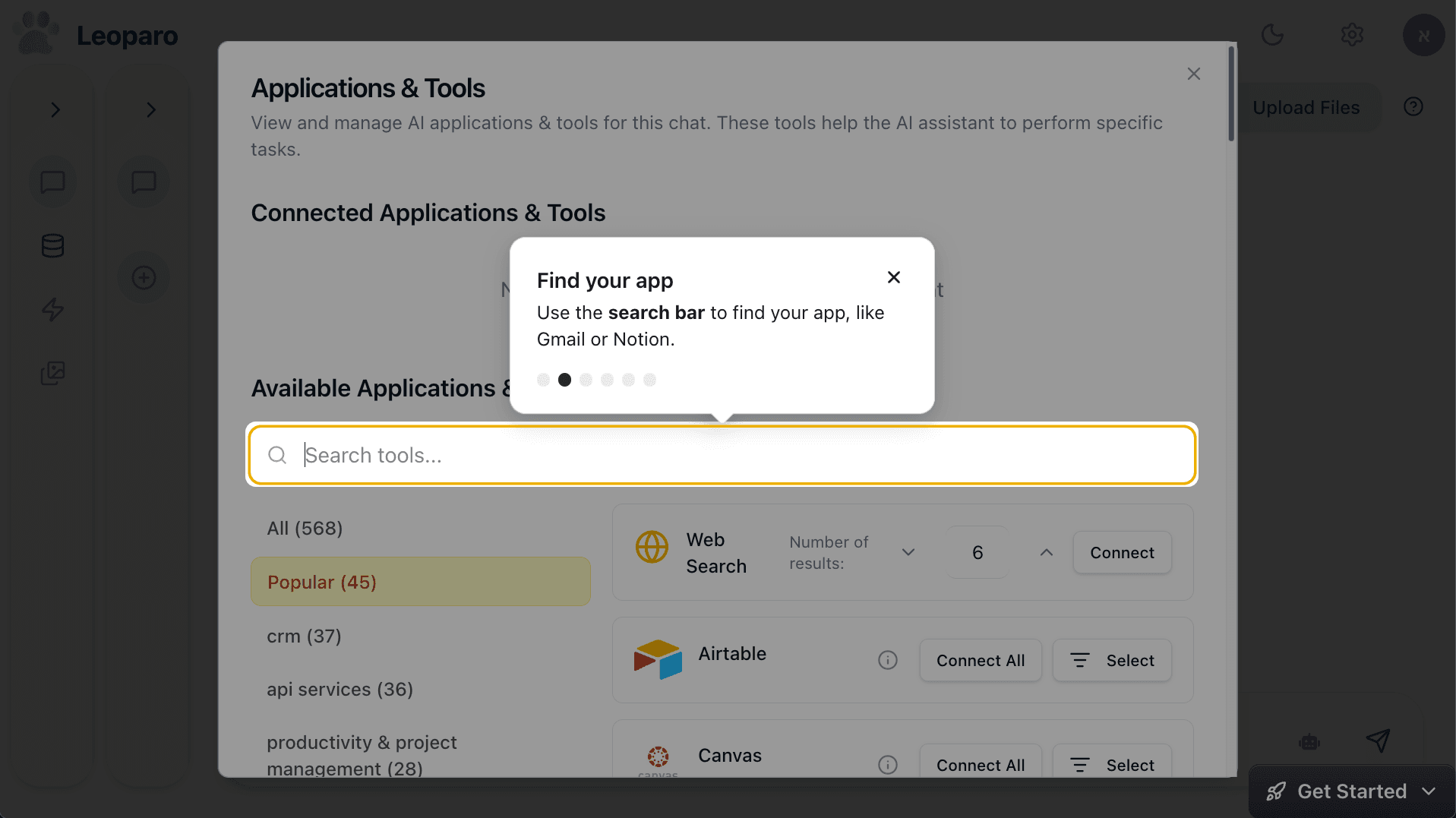
Use the search bar to find your app, like Gmail or Notion.
Connect your app
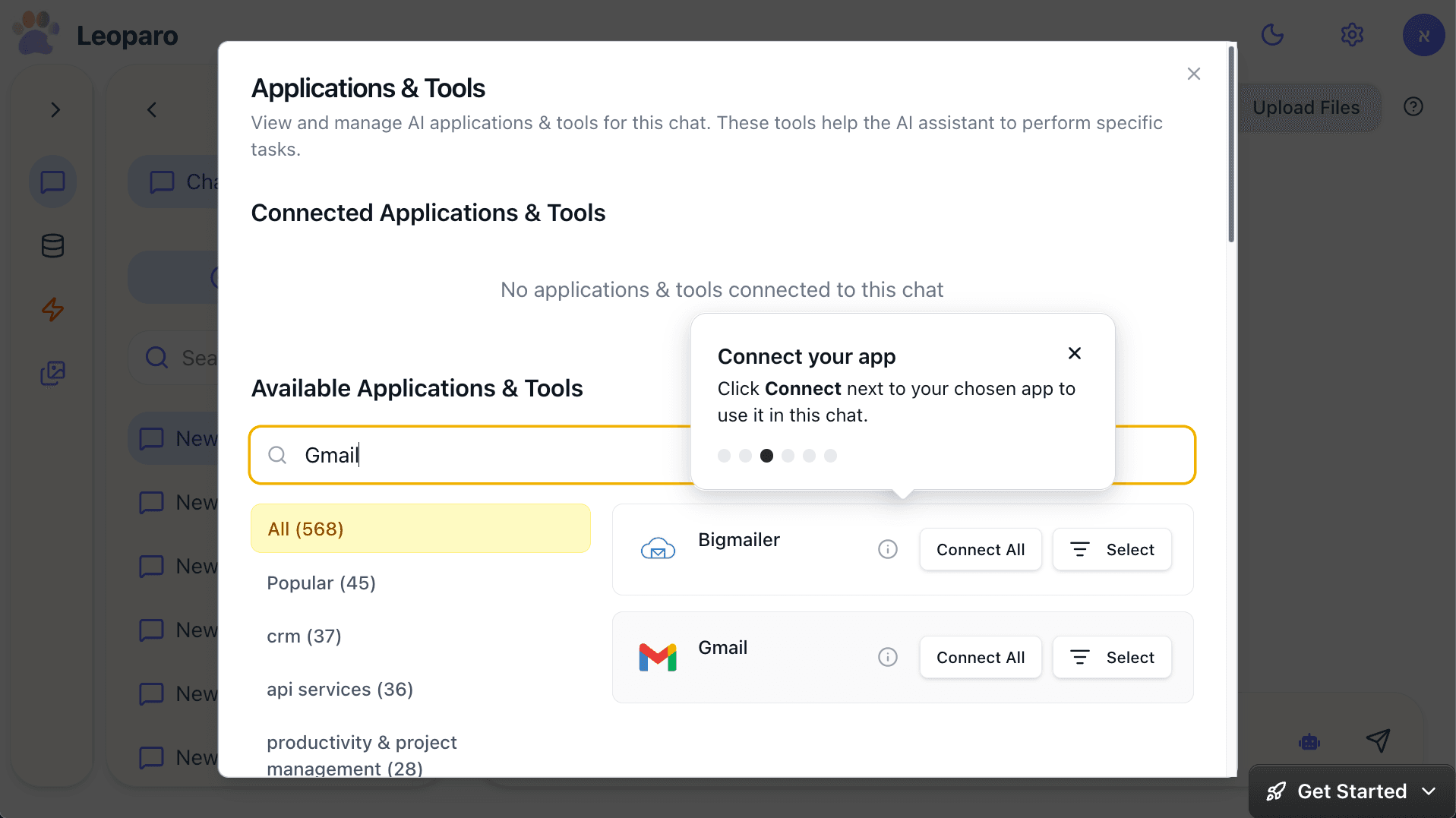
Click Connect next to your chosen app to use it in this chat.
Back to chat
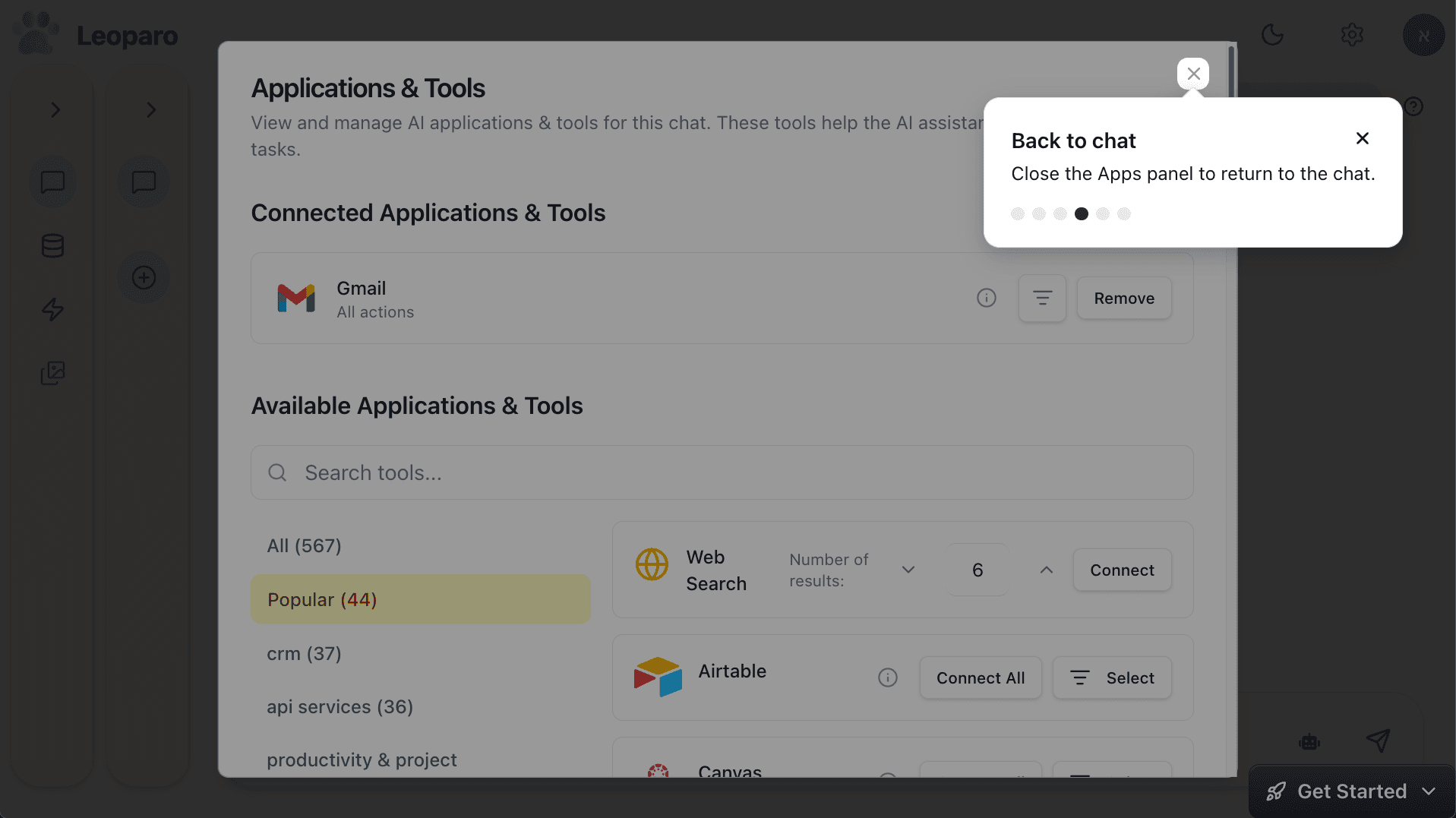
Close the Apps panel to return to the chat.
Start chatting with your app
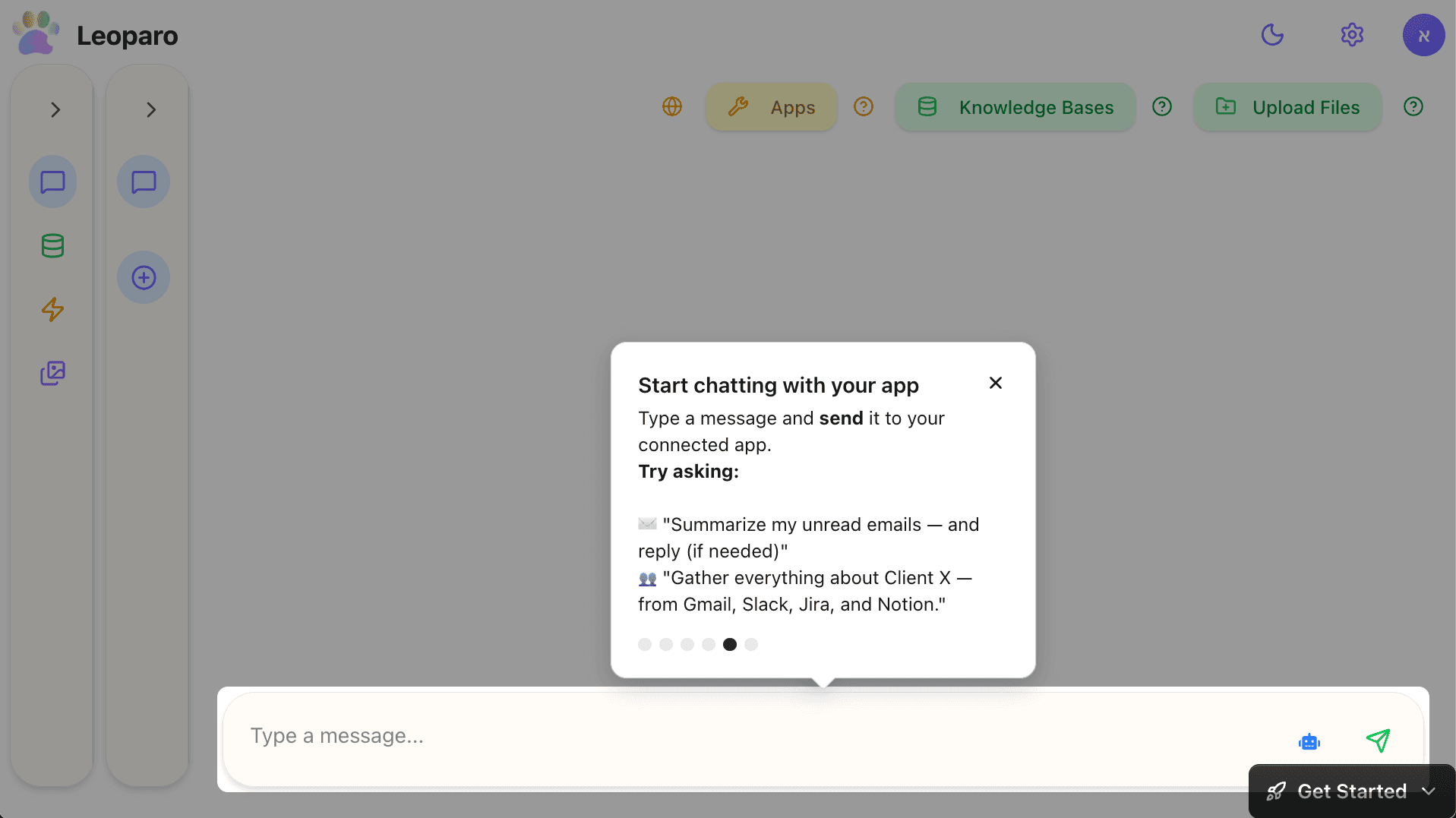
Type a message and send it to your connected app.
Try asking:
- ✉️ “Summarize my unread emails — and reply (if needed)”
- 👥 “Gather everything about Client X — from Gmail, Slack, Jira, and Notion.”
You’re chatting with your app
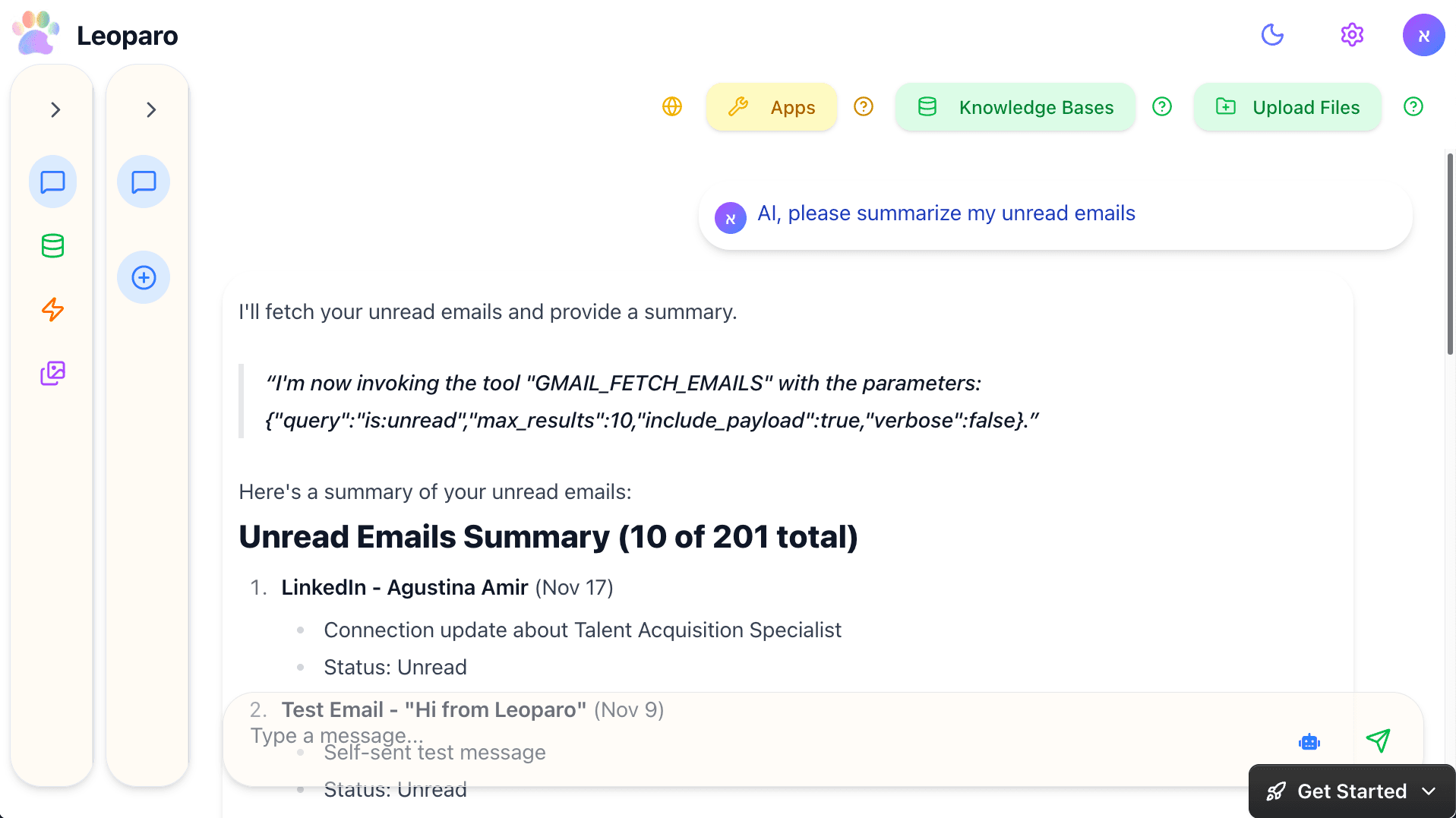
Keep chatting, or connect more apps anytime.
Last updated on