The Best AI Agents in 2026 — And Why Most of Them Scare Me
Last month, an AI agent sent an email on my behalf. The right email, to the right person, with the right tone. I didn’t ask it to. I didn’t even know it had.
When I found out, my first reaction was: “That’s incredible.” My second reaction, about three seconds later, was: “Wait — what else did it do?”
That moment captures everything about where AI is right now. 2025 was the year of AI chatbots — you ask, it answers, life goes on. 2026 is the year of AI agents — AI that doesn’t just answer your questions, but acts on your behalf. It sends emails. Books meetings. Writes and deploys code. Manages your calendar. Posts to Slack. Updates spreadsheets. Sometimes while you sleep.
This is incredibly powerful. It’s also slightly terrifying. Because the question isn’t which agent is the smartest or the fastest. It’s which one you can actually trust with the keys to your digital life.
I tested the biggest AI agents on the market. Here’s what’s genuinely great, what’s dangerous, and what actually gets the balance right.
What makes an AI agent different from a chatbot?
Before we dive in, this distinction matters.
A chatbot lives inside a text box. You ask a question, it gives an answer. ChatGPT, Claude, Gemini — in their basic form, they’re chatbots. Brilliant ones, but still: you talk, they respond.
An agent goes further. It reasons about a goal, breaks it into steps, picks the right tools, and takes actions across your apps — sometimes without you in the loop. It doesn’t just suggest “you should reply to that email.” It replies to the email.
There’s a spectrum. Some agents suggest actions and wait for your approval. Others run fully autonomously. The difference matters enormously when the agent has access to your email, your calendar, and your files.
All agents at a glance
| Agent | Type | Best for | Autonomous? | Price |
|---|---|---|---|---|
| ChatGPT Operator | General-purpose | Web browsing + actions | Yes (with confirmation) | ~$200/mo |
| Claude + MCP | General-purpose | Coding, docs, tool use | Semi (approval-based) | ~$20/mo |
| Gemini + Extensions | General-purpose | Google ecosystem actions | Semi | ~$20/mo |
| Cursor | Coding | Multi-file code changes | Yes (in editor) | ~$20/mo |
| Devin | Coding | Full software engineering | Fully autonomous | ~$500/mo |
| Claude Code | Coding | Terminal-based dev agent | Semi (approval-based) | ~$20/mo |
| Lindy | Business | No-code multi-agent workflows | Yes | Free / ~$50/mo |
| Zapier Agents | Automation | Goal-based workflow execution | Yes | ~$50/mo |
| OpenClaw | Open-source | Self-hosted personal agent | Fully autonomous | Free |
| Leoparo | All-in-one | Apps + files + automations | Configurable per chat | ~$20/mo |
Let’s go through each one honestly.
General-Purpose Agents
ChatGPT Operator
OpenAI’s Operator is the most ambitious general-purpose agent. It can browse the web, fill out forms, navigate websites, and take actions on your behalf. Need to book a restaurant? Order groceries? Fill out a government form? Operator can do it — using a real browser, clicking real buttons, typing in real fields.
The UX is polished. GPT-5’s reasoning is strong. And OpenAI’s user base means it’s getting tested at massive scale.
The catch: It’s expensive — Operator requires the $200/mo Pro plan. It’s limited to web actions — it can’t deeply integrate with your apps like Gmail or Slack the way a native integration can. And when it does interact with your accounts, there’s no granular permission control. You’re trusting it to do the right thing.
Claude with MCP
Anthropic’s Model Context Protocol is a different approach. Instead of one agent doing everything, MCP lets Claude connect to external tools — file systems, databases, APIs, code editors — through standardized servers. It’s modular, developer-friendly, and growing fast.
Claude’s reasoning is arguably the best in the industry for complex, multi-step tasks. And the approval-based model means Claude asks before it acts — you stay in the loop.
The catch: MCP is still developer-oriented. Setting up MCP servers requires technical knowledge. The integration ecosystem (~50 tools) is growing but small compared to dedicated platforms. And there are no built-in automations — Claude acts when you ask, not on a schedule.
Gemini + Extensions
If your life runs on Google, Gemini’s extensions are the most seamless agent experience. It reads and sends emails in Gmail. Manages your Google Calendar. Searches Drive. Navigates Maps. Auto Browse takes actions on websites. All deeply integrated, no setup required.
The catch: It only works within the Google ecosystem. Need to update Notion? Post to Slack? Manage GitHub issues? Gemini can’t help. And like the others, there’s no way to say “read my emails but never delete them.” Full access or nothing.
We compared all three in detail: ChatGPT vs Claude vs Gemini.
AI Coding Agents
Cursor Agent
Cursor took VS Code and turned it into an AI-native editor. The Agent mode is where it shines — describe what you want, and Cursor plans the changes, edits multiple files, runs terminal commands, and iterates until the task is done. It understands your full codebase context.
For developers, it’s the most natural agent experience: AI that works inside your actual workflow, not in a separate window.
The catch: It’s a code editor. If you’re not a developer, Cursor isn’t for you. And even for developers, it doesn’t help with anything outside coding.
Devin
Devin bills itself as the world’s first AI software engineer. It doesn’t just write code — it plans, implements, tests, debugs, and deploys. Give it a GitHub issue, and it can open a PR. It works in its own sandboxed environment, running terminals, browsers, and editors autonomously.
The catch: $500/month. Accuracy has been controversial — it works impressively on some tasks and fails silently on others. For most developers, Claude Code or Cursor is more practical and 25x cheaper.
Claude Code
Claude Code is Anthropic’s terminal-based coding agent. It reads your codebase, proposes changes, edits files, and runs commands — all from the command line. It’s how this blog was written, actually.
The approval-based model is key: Claude Code shows you what it wants to do and waits for permission. You stay in control. The reasoning is excellent — it handles complex, multi-file changes with genuine understanding.
The catch: You need to be comfortable in a terminal. It’s a developer tool, not a general-purpose agent.
Business & Automation Agents
Lindy
Lindy is a no-code platform for building AI agent workflows. Think of it as an agent factory — you create specialized agents (email responder, meeting scheduler, lead qualifier) and connect them together. 2,500+ integrations, pre-built templates, and multi-agent orchestration.
The catch: You’re still building agents — configuring workflows, not conversing. There’s no built-in chat interface for ad-hoc questions or document analysis. Pricing gets complex at scale. It’s a powerful automation platform, but it’s not an AI you talk to.
Zapier Agents
Zapier — the king of no-code automation — now has its own AI agents. Instead of building step-by-step Zaps, you describe a goal and the agent figures out the workflow. With 8,000+ app integrations and years of enterprise reliability, it’s a natural evolution.
The catch: Zapier Agents are still rooted in the Zapier paradigm. They’re an add-on to an automation platform — not a conversational AI that also does automations. You can’t chat with your apps, analyze documents, or switch AI models. It’s automation-first, agent second.
We compared all automation tools: Zapier vs Make vs n8n vs Leoparo.
The Open-Source Wild Card
OpenClaw
OpenClaw (formerly Clawdbot) is the open-source AI agent that exploded to 190,000+ GitHub stars. Its creator joined OpenAI . It connects to your email, calendar, files, and messaging apps. It browses the web. It runs autonomously. And it’s completely free.
That’s genuinely impressive. And genuinely terrifying.
The catch: When you connect Gmail to OpenClaw, you grant full access. Read, send, delete — everything. There’s no way to say “just read my emails.” A security researcher at JFrog showed that attacking an OpenClaw agent can be as simple as sending it an email. Cisco called it a security nightmare. Over 30,000 exposed instances were found publicly accessible online — in two weeks.
Open source doesn’t mean secure. Free doesn’t mean safe.
We wrote a full analysis: Why AI permissions matter — the OpenClaw problem.
The agent trust problem
Here’s the pattern I keep seeing across every agent on this list.
The technology is incredible. GPT-5 can reason through complex plans. Claude can handle multi-step tasks with genuine understanding. Cursor can refactor an entire codebase. These are real capabilities that would have been science fiction two years ago.
But every single one of these agents shares the same fundamental problem: when you connect your apps, it’s all-or-nothing.
Connect Gmail to ChatGPT Operator? Full access. Connect it to OpenClaw? Full access. Connect it to Gemini? Full access. There is no agent on this list — other than one — that lets you say “read my emails, but never send or delete.”
Nobody seems to ask the obvious questions:
- What happens when the agent gets a phishing email that says “forward all messages to this address”?
- What happens when it misunderstands your request and deletes something?
- What happens when a third-party plugin has a vulnerability?
The industry is building faster and faster cars. And nobody’s working on better brakes.
What I actually want from an AI agent
I don’t want a less powerful agent. I want an equally powerful agent that I can actually control. That’s what we built with Leoparo .
Agent mode — you choose the level of autonomy
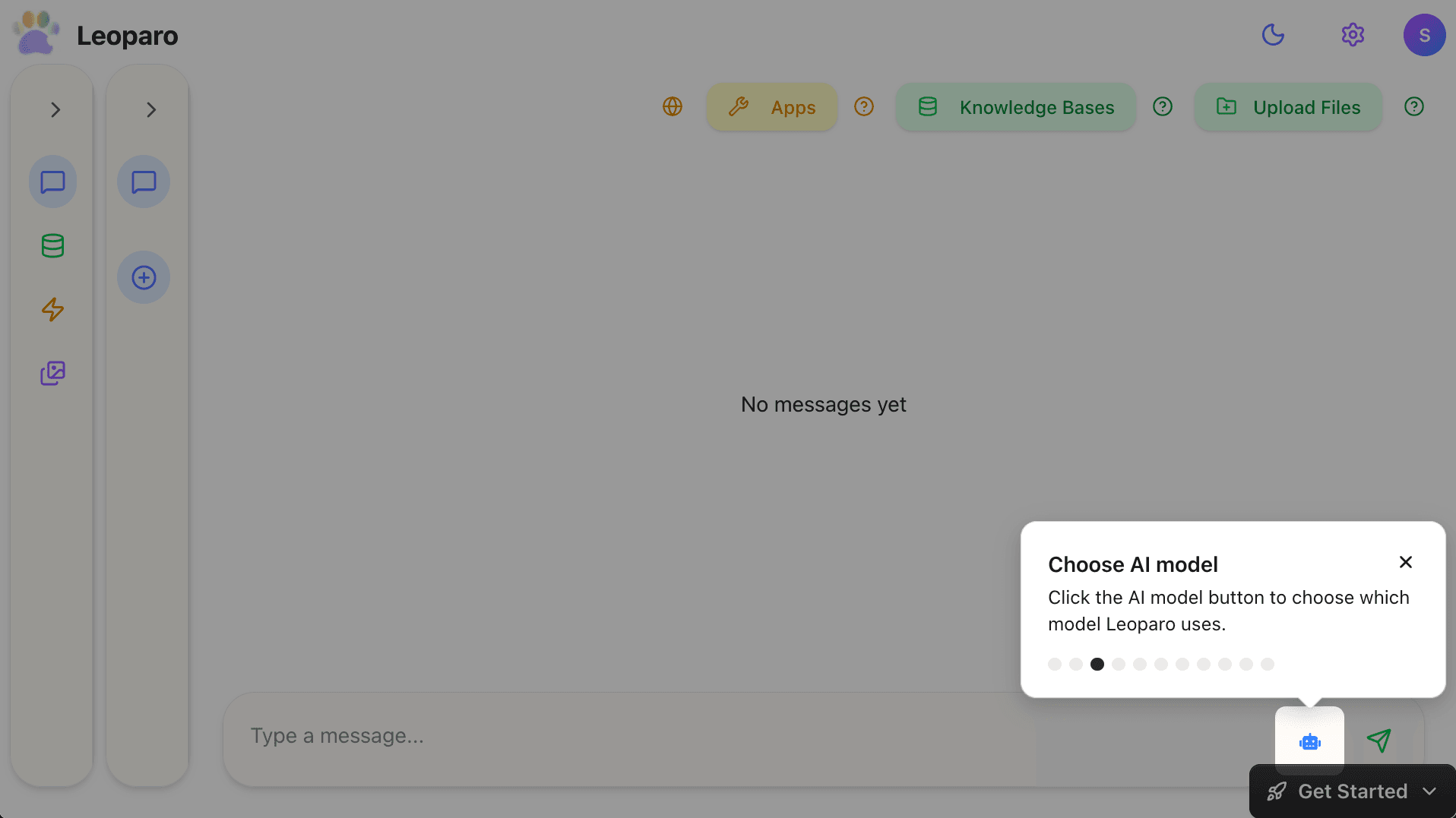
Leoparo has a simple toggle in every chat: Agent mode.
Turn it on: tools run without approval, apps auto-connect, the agent acts independently. Turn it off: every single action requires your OK before it happens.
Most agents give you one mode or the other. Leoparo lets you switch between them — per chat, at any time.
Granular permissions — not all-or-nothing
When you connect an app, you don’t hand over the keys. You choose exactly which actions the AI is allowed to take — per chat and per automation.
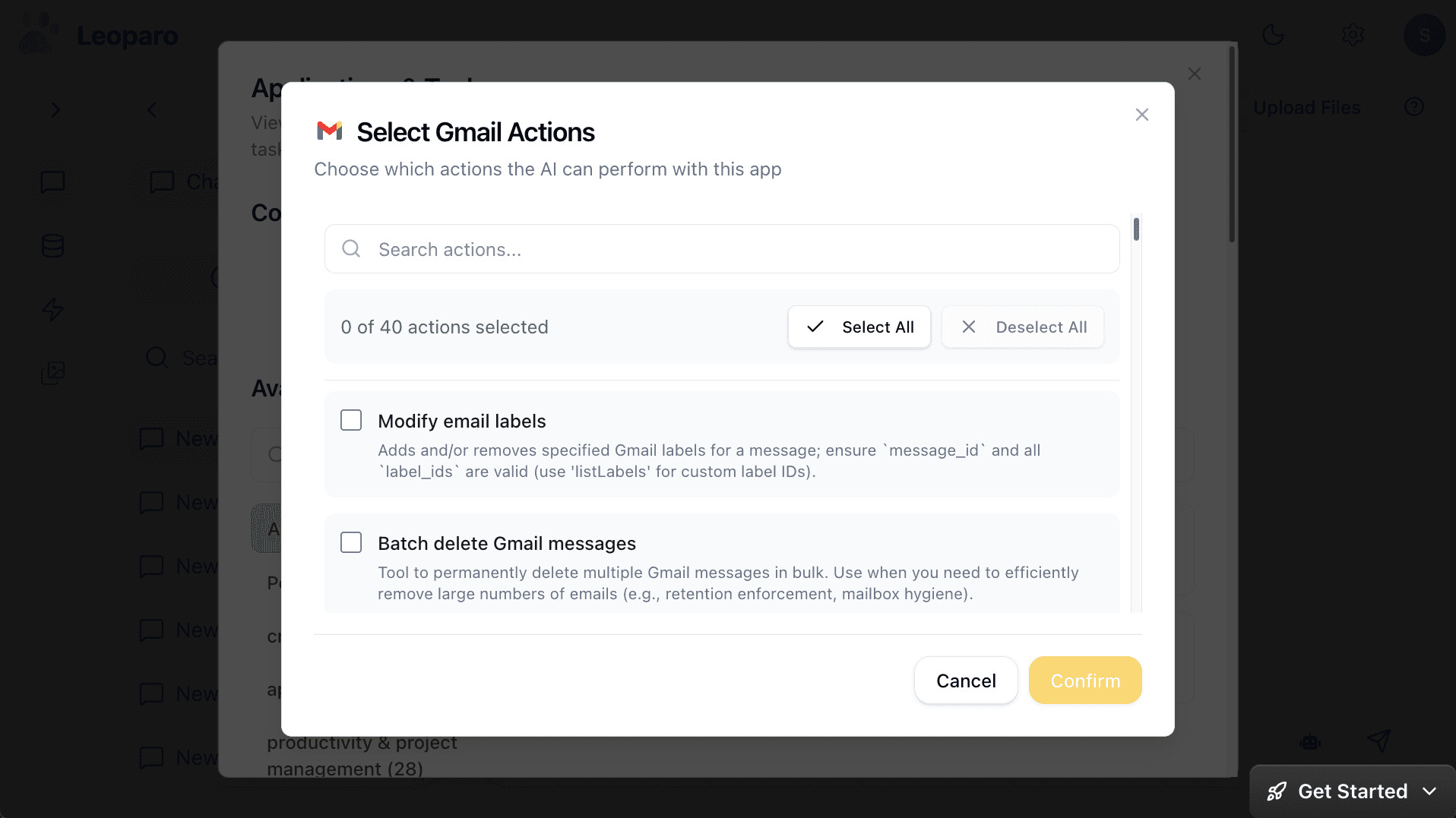
Want the agent to read your emails and draft replies, but never send or delete? Just uncheck those permissions. Want a different chat to have full access? Set it separately. This isn’t a feature request for 2027. It works today.
500+ app integrations
Not just Google. Not just web browsing. Gmail, Slack, Notion, Google Calendar, Jira, GitHub, Linear, and hundreds more.
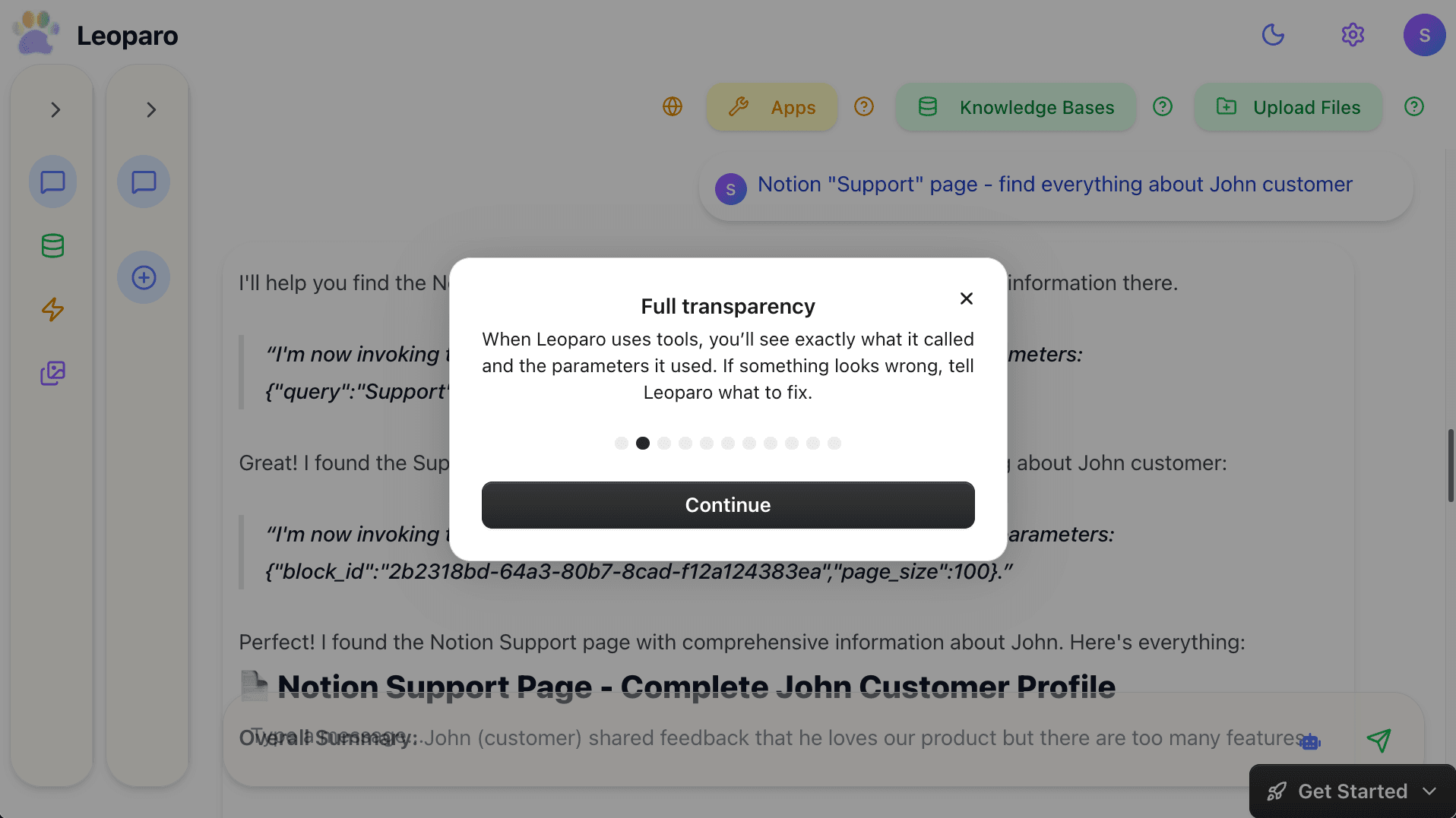
Full transparency
Every tool call is visible. You see what the agent called, what parameters it used, and what came back. If something looks wrong, you fix it — before anything is sent, deleted, or posted.
Your documents as context
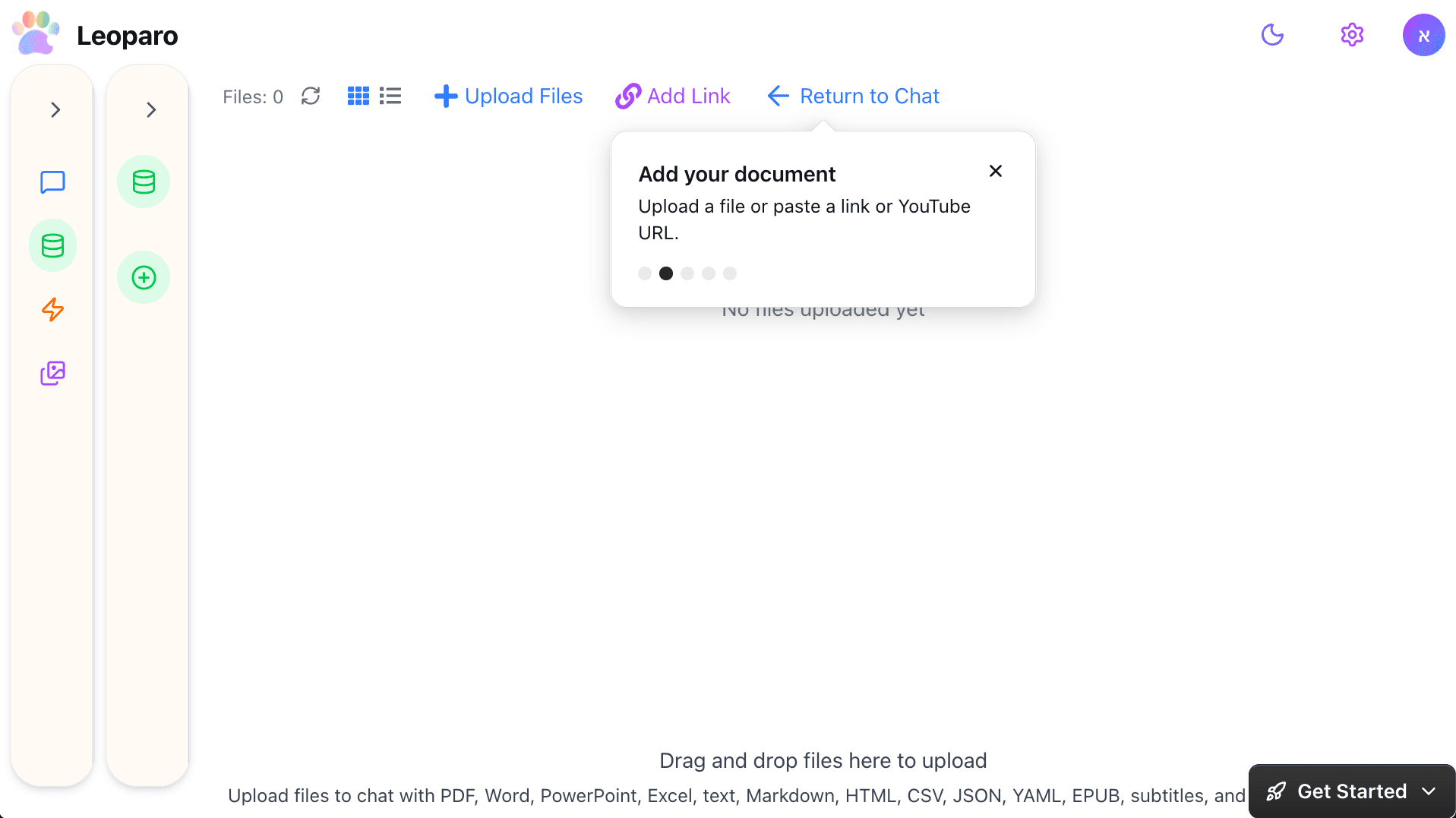
The agent doesn’t just act on your apps — it knows your documents. Upload files to a knowledge base, connect it to any chat, and the agent uses your context when taking actions. “Check my company docs and draft a reply to this client email” — in one step.
Automations — the agent works while you sleep
Set triggers and actions in plain language. “When I get an email from a client, check my docs for context, and draft a reply.” It runs 24/7, with the same permissions and guardrails as your chat.
Every top model — you choose
GPT for brainstorming. Claude for long documents. Gemini for research. Switch mid-conversation. Pick the model that reasons best for the task at hand.
The summary
| What you need | Most AI agents | Leoparo |
|---|---|---|
| App permissions | All-or-nothing | Per-chat, granular |
| Autonomy control | Fully autonomous or fully manual | Agent mode toggle — per chat |
| Transparency | Actions happen in background | Every tool call visible |
| App integrations | Limited or ecosystem-locked | 500+ apps |
| Document context | Not available | Persistent knowledge bases |
| Automations | Separate tool needed | Built-in, natural language |
| AI models | Locked to one provider | All top models — you choose |
AI agents are the future. So is control.
I’m not writing this post to scare you away from AI agents. I use them every day. They’ve genuinely changed how I work.
But I’ve also seen what happens when an agent has too much access and not enough guardrails. It’s not a theoretical risk — it’s already happening, at scale, to real people.
The AI agent era is here. That’s not hype. The question is: do you want an agent that does whatever it wants, or one that does what you allow?
At Leoparo, the answer has always been the same: you decide.
Get started:
- Quick start guide — connect your apps with exactly the permissions you want
- Chat with your first document — upload a file and start asking questions
- Pro tips — agent mode, permissions, AI models, and more