Zapier vs Make vs n8n vs Leoparo — Which AI Automation Tool Actually Works for You?
I spent years building Zaps and Make scenarios. Dozens of nodes, carefully wired together, tested, debugged, rewired when something broke. It worked. But every time I needed a new automation, I was back in the same drag-and-drop editor, connecting the same boxes, mapping the same fields.
Then AI agents showed up, and everything changed.
Today, all four major automation tools — Zapier , Make , n8n , and Leoparo — have some form of AI built in. But “has AI” is a spectrum. At one end, you’re still dragging nodes and configuring prompts inside workflow editors. At the other, you describe what you want in plain English and it just works.
This post breaks down how each tool handles real automation scenarios, so you can pick the one that actually fits you.
The four tools at a glance
| Zapier | Make | n8n | Leoparo | |
|---|---|---|---|---|
| Type | No-code platform | Visual workflow builder | Open-source, self-hostable | AI-native all-in-one |
| AI support | Agents + Copilot | AI agent nodes in builder | LangChain-powered AI nodes | Natural language — no nodes |
| Integrations | 8,000+ apps | 2,000+ apps | 1,000+ apps (community nodes) | 500+ apps |
| Pricing | Per-task, starts ~$20/mo | Per-operation, starts ~$10/mo | Free (self-hosted) or ~$20/mo | Subscription with credits |
| Also chat with apps & files | No — automation only | No — automation only | No — automation only | Yes — chat, files, media, and automations |
| Self-hostable | No | No | Yes | No |
| Open source | No | No | Yes | No |
Now let’s see how they actually compare when you try to do real things.
A simple automation
The task: When I get an email in Gmail, send a notification to Slack.
This is the classic “hello world” of automation. No AI needed — just a trigger and an action.
Zapier: Create a Zap. Pick Gmail as trigger, select “New Email.” Pick Slack as action, select “Send Message.” Map the email subject and sender into the message template. ~5 minutes.
Make: Similar flow. Drag a Gmail module onto the canvas, connect it to a Slack module, configure the mapping. The visual canvas is nice for seeing the flow, but it’s more clicks. ~5-7 minutes.
n8n: Same idea — drag a Gmail Trigger node, connect to a Slack node, map fields. If you self-host, you also need to handle credentials and webhook setup. ~5-10 minutes depending on your setup.
Leoparo: Open the Automations tab. Add a trigger (Gmail → New Email). Add an action: “Send a Slack message with the email subject and sender.” Done. ~2 minutes.
Verdict: For simple automations, all four tools get the job done. The difference is how many clicks and configurations it takes.
An AI-powered automation
The task: When I get an email, summarize it and draft a reply.
This is where things get interesting — and where the tools start to diverge.
Zapier: You can use Zapier Agents to set a goal like “summarize new emails and draft replies.” But for a standard Zap, you’d add a ChatGPT step between Gmail and the reply action, write the prompt, map the email body in, then map the AI output to a draft action. It works, but you’re configuring each piece manually.
Make: Add a Gmail module, connect it to an OpenAI/Claude module, write the prompt, configure the input mapping, then connect to a Gmail “Create Draft” module. Make’s visual canvas helps you see the flow, but you’re still building it node by node.
n8n: This is where n8n shines over Zapier and Make. You can use the AI Agent node with LangChain — give it an LLM, connect tools (Gmail read, Gmail draft), and let the agent reason through the steps. Powerful, but you need to configure the LLM provider, set up memory if you want context, and wire the tools. It’s more like building an AI pipeline than describing a task.
Leoparo: Add a trigger (Gmail → New Email). Add an action: “Summarize this email and draft a reply.” Connect Gmail to the action so Leoparo can draft. That’s it. No prompt engineering, no LLM configuration, no node wiring. You describe the outcome, Leoparo figures out the steps.
Verdict: All four can do it. But the effort ranges from “build an AI pipeline” (n8n) to “build a multi-step Zap with AI blocks” (Zapier/Make) to “write one sentence” (Leoparo).
Using your own files and knowledge bases
The task: When I get an email, check my company docs for context, then draft a reply using that context.
This is the scenario most people actually want — AI that knows your stuff, not just generic responses.
Zapier: No native file/knowledge base support in automations. You’d need to integrate a third-party vector store or RAG pipeline via API calls. Possible, but far from plug-and-play.
Make: Similar — you’d need external modules for vector search. Make has AI modules for calling LLMs, but no built-in document retrieval.
n8n: n8n can do this. You can set up vector store nodes (Pinecone, Supabase, etc.), configure embeddings, and connect them as tools for the AI Agent node. It’s genuinely capable — but you’re building a RAG pipeline from scratch. You need to handle document ingestion, chunking, embedding, and retrieval configuration yourself.
Leoparo: Upload your documents to a knowledge base. Connect that knowledge base to the automation action. Write: “Check my company docs for context and draft a reply.” Leoparo handles the retrieval, the context injection, and the response — no pipeline to build.
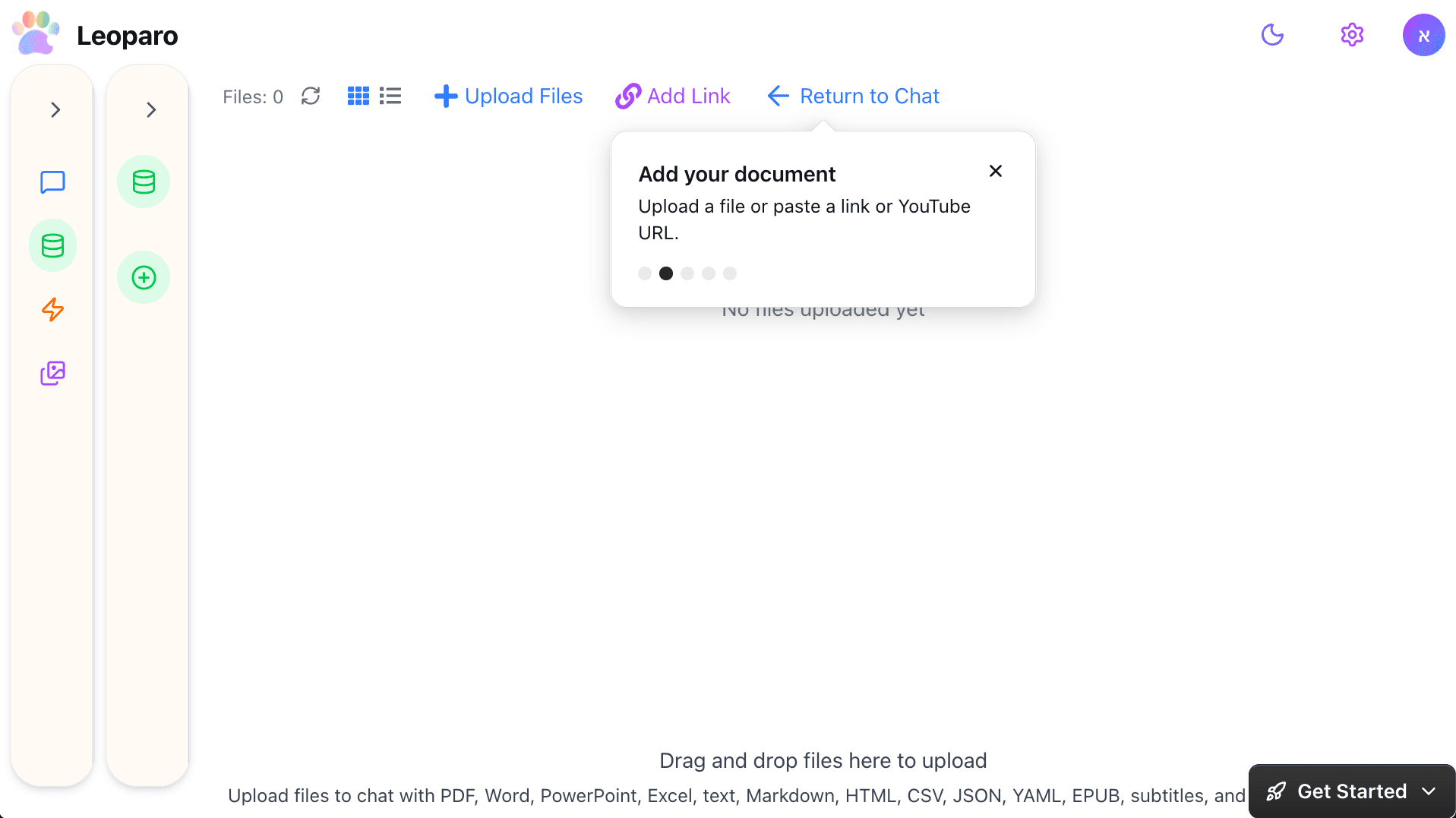
Verdict: Only n8n and Leoparo can do this natively. n8n requires building a RAG pipeline. Leoparo requires uploading files and writing a sentence.
What about permissions and control?
This one matters more than people think — especially for automations that run on their own, without you watching.
When you connect Gmail to Zapier , Make , or n8n , the automation gets full access to your account. Read, send, delete — everything. There’s no way to say “this automation can draft emails but not send them.” It’s all or nothing, just like the OpenClaw problem we wrote about.
In Leoparo, you choose exactly which tools each app can use — per chat and per automation. Want an automation that reads your inbox and drafts replies, but can never send or delete? Just uncheck those permissions.
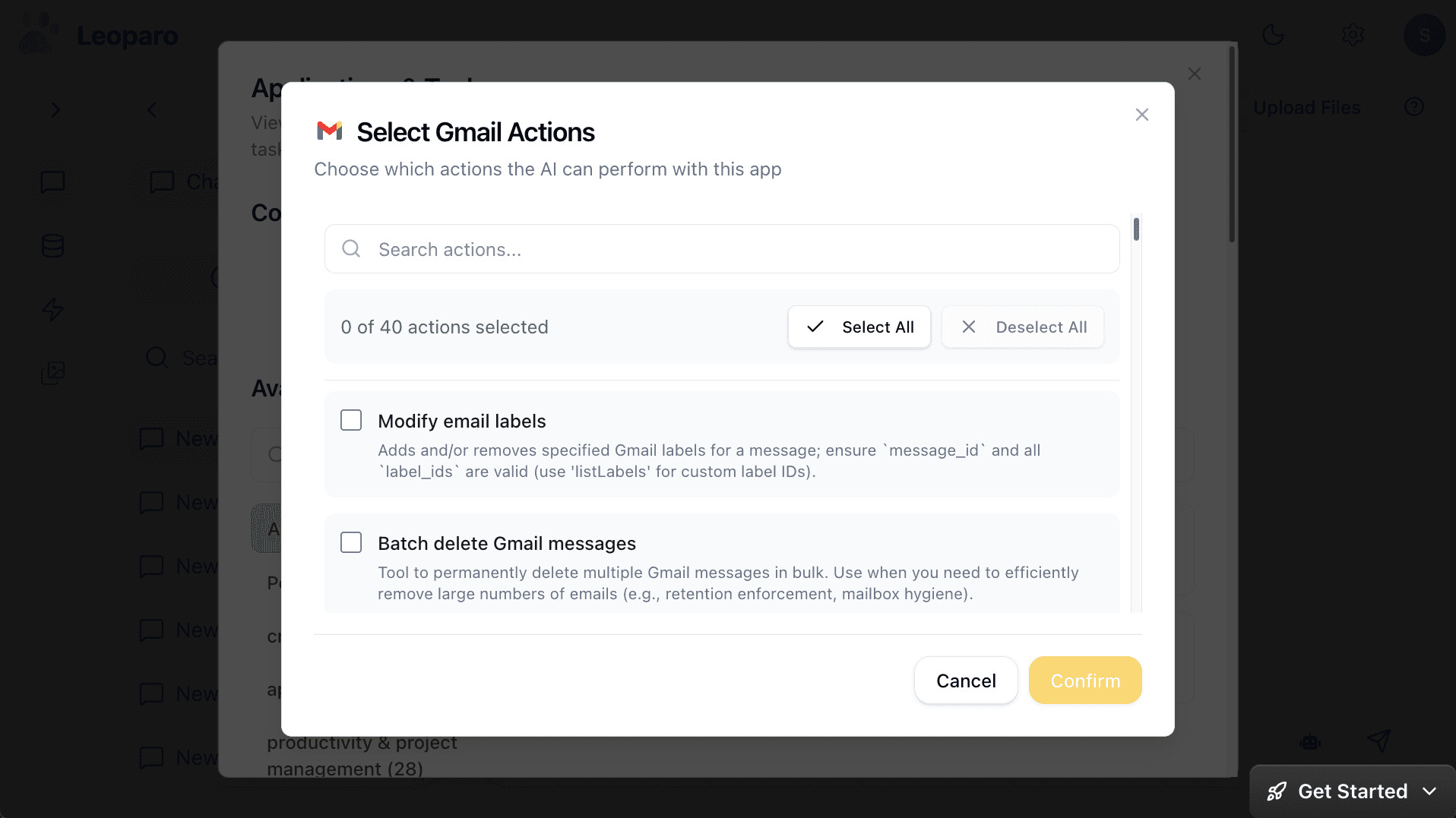
When you’re building a workflow you test manually, all-or-nothing permissions might feel acceptable. But when an automation runs 24/7 without supervision, you want guardrails — not hope.
Who is each tool actually for?
Not every tool is for every person. Here’s the honest breakdown:
Zapier is for business teams who want reliability at scale. 8,000+ integrations, enterprise support, and a huge template library. If you need “when X happens in Salesforce, update Y in HubSpot” across 50 workflows — Zapier is battle-tested for that. The AI features (Agents, Copilot) are improving, but the core experience is still building Zaps.
Make is for power users who think visually. The scenario builder is genuinely great for complex workflows with branching, loops, and data transformations. If you need to see the entire flow mapped out with conditional paths, Make is the best at that. Their new AI agent integration brings reasoning into the visual builder.
n8n is for developers and technical users. Self-hostable, open-source, and deeply customizable. The AI agent nodes are the most flexible of the four — you can build multi-agent systems, custom tool chains, and RAG pipelines. But you need to know what you’re doing. If you enjoy configuring LangChain and managing infrastructure, n8n gives you full control.
Leoparo is for people who want AI that works without building workflows. If you don’t want to drag nodes, configure LLM providers, or build data pipelines — and you just want to say “when I get a bill, add it to my Notion table” — Leoparo is the most direct path from idea to working automation.
The bigger picture: automation tool vs all-in-one AI
There’s a fundamental difference between the first three tools and Leoparo that’s worth stepping back to see.
Zapier, Make, and n8n are automation platforms. That’s what they do, and they do it well. But automation is the only thing they do. If you also want to chat with your apps, search your files, or generate images — you need separate tools for each.
Leoparo is an all-in-one AI workspace. You can chat with your apps — ask Gmail to summarize your inbox, tell Notion to create a page, ask Slack to find a conversation. You can chat with your documents — upload PDFs, spreadsheets, links, or YouTube videos and ask questions about them. You can generate images, videos, and audio. You can switch between GPT, Claude, Gemini, and other top models. And yes, you can set up automations too.
The automation isn’t a separate product you learn — it’s the same AI you already chat with, running on a schedule.
Summary
| Zapier | Make | n8n | Leoparo | |
|---|---|---|---|---|
| Simple automation | Easy, many templates | Visual, more clicks | Flexible, more setup | Describe in plain text |
| AI-powered automation | AI blocks in Zaps | AI nodes in scenarios | Full LangChain agent | Natural language action |
| Use your own files | Not natively | Not natively | Build a RAG pipeline | Upload and connect |
| Granular permissions | No — full access | No — full access | No — full access | Yes — per chat and per automation |
| Technical skill needed | Low | Low-Medium | Medium-High | None |
| All-in-one AI | No — automation only | No — automation only | No — automation only | Yes — chat, files, media, and automations |
| Best for | Business teams at scale | Visual power users | Developers | Anyone who prefers talking over building |
So which one should you pick?
There’s no single winner — it depends on what you need.
If you need 8,000+ integrations and enterprise reliability, go with Zapier. It’s the most mature platform with the largest ecosystem.
If you want visual workflows with complex branching, go with Make. The scenario builder is genuinely best-in-class for seeing and managing complex logic.
If you want full control, self-hosting, and the ability to build custom AI pipelines, go with n8n. Nothing else gives you that level of flexibility.
If you want AI that handles your apps, files, and automations without building workflows — and you’d rather describe what you want than configure how it happens — give Leoparo a try.
Want to see it in action?
- Chat with your first app — connect Gmail, Slack, Notion, or 500+ others
- Chat with your first document — upload a file and start asking questions
- Set up your first automation — in under 2 minutes
- Pro tips — control permissions, switch AI models, and more