Perplexity Is the Best AI Search Engine — But What Happens After You Find the Answer?

Last week I was preparing for a pitch meeting. I opened Perplexity , typed “latest trends in AI agent market 2026,” and got exactly what I needed — a cited, well-structured summary with links to the original sources. Then I used Deep Research to go deeper. Three minutes later, I had a full report with data from 30+ sources that would have taken me hours to compile.
Brilliant. Genuinely useful. Perplexity is incredible at this.
Then I thought: “OK, now email this summary to my co-founder, add the key data points to our Notion research page, and schedule a 30-minute meeting to discuss.”
So I copied the summary. Opened Gmail. Pasted it. Reformatted it for email. Sent it. Opened Notion. Pasted the data points. Adjusted the table. Opened Google Calendar. Created the event. Added the agenda.
Perplexity found the answer in 30 seconds. Getting it to the right places took 15 minutes. And that 15 minutes felt absurd — because the AI already had everything it needed to do all of that. It just… couldn’t.
That’s the gap this post is about.
Perplexity is genuinely the best AI search engine
I want to be clear: this isn’t a hit piece on Perplexity. For web research, it’s the best tool available. Full stop.
Cited answers, every time. Every response comes with numbered source citations. Click any of them and you’re at the original page. This alone puts it ahead of ChatGPT and Gemini for research, where you often get confident-sounding answers with no way to verify them.
Deep Research. This is Perplexity’s killer feature. Ask a complex question, and it spends 2-4 minutes doing what a human researcher would take hours to do — iteratively searching, reading documents, following leads, and synthesizing a comprehensive report. For market research, competitive analysis, or literature reviews, nothing else comes close.
Real-time data. Stock prices, live news, current events — Perplexity searches the live web, not a training dataset frozen in time. When you need to know what’s happening right now, this matters.
Shopping with checkout. Perplexity can actually help you find and buy products, with PayPal integration for one-click purchasing. It’s a unique feature none of the other AI chatbots offer.
Spaces for organizing research. Group your research threads into Spaces, upload files for context, and keep related queries together. It’s thoughtful organization for serious researchers.
780+ million monthly queries. That’s not a vanity metric — it means the search infrastructure is battle-tested and fast.
If your workflow is “find information on the web → understand it,” Perplexity is hard to beat. But most people’s workflow doesn’t end there.
The two tools at a glance
| Perplexity | Leoparo | |
|---|---|---|
| Best for | Web research and real-time search | Research + apps + action + automation |
| AI models | Perplexity’s selection | GPT, Claude, Gemini, and more — you choose |
| Web search | Core feature — best in class | Yes — built-in |
| Deep Research | Yes (multi-step, multi-source) | No |
| App integrations | None | 500+ apps (Gmail, Slack, Notion, Jira, GitHub, and more) |
| Can take actions | No (mobile assistant for rides/food only) | Yes — email, Slack, Notion, Calendar, etc. |
| File support | Per-conversation upload (3 free / unlimited Pro) | Persistent knowledge bases, reusable across chats |
| Automations | No | Yes — natural language triggers and actions |
| Granular permissions | N/A (no app actions) | Yes — per chat and per automation |
| Media generation | No | Images, video, and audio |
| Shopping | Yes (with checkout) | No |
| Pricing | Free / ~$20/mo (Pro) | ~$20/mo (Pro) |
The search-only wall
Here’s what happens, every single time.
You use Perplexity to find something. It delivers. Beautifully sourced, well-structured, exactly what you needed. And then you need to actually do something with what you found. And Perplexity waves goodbye.
“Research this client and draft a reply to their email.” Perplexity can research the client — pull their company info, recent news, LinkedIn presence. But it can’t read your email. It doesn’t know a client emailed you. It can’t draft a reply in Gmail. So you research in one tab, then switch to Gmail, try to remember what you just read, and write the reply yourself.
“Summarize today’s industry news and post it to our Slack channel.” Perplexity writes a perfect summary. But it can’t open Slack. It can’t post to a channel. You copy the summary, open Slack, find the right channel, paste, format, send. Five minutes for something the AI already had ready.
“Find competitor pricing and add it to our tracking spreadsheet.” Perplexity finds every price point, neatly organized. But it can’t touch your spreadsheet. You copy each number, open Google Sheets, navigate to the right cells, type them in one by one.
“Research this topic and schedule a meeting with my team to discuss.” Perplexity handles the research. But it can’t access your calendar. Doesn’t know when your team is free. Can’t create an event. You do that part manually.
The pattern is always the same: the AI does the finding — maybe 20% of the actual work — and you do the acting — the remaining 80%. Copy. Paste. Switch tabs. Reformat. Click send. Every time.
Perplexity is an incredible research assistant. But it’s still just a research assistant. The moment you need the AI to do something with what it found, you’re on your own.
What if finding the answer was just the beginning?
This is where Leoparo comes in. The starting point is similar — you can ask questions, search the web, get answers. But instead of stopping at the answer, Leoparo can act on it.
Connect your apps — all of them
In Leoparo, you connect your apps. Gmail, Slack, Notion, Google Calendar, Jira, GitHub, Linear — 500+ apps in total.
Now that pitch meeting research from the intro? In Leoparo, it would go like this:
“Search the web for the latest AI agent market trends. Email a summary to my co-founder. Add the key data points to our Notion research page. Schedule a 30-minute meeting for Thursday.”
One message. No tab-switching. No copy-pasting. The AI searches, summarizes, emails, updates Notion, and creates the calendar event.
Is Leoparo’s web search as deep as Perplexity’s Deep Research? No — let’s be honest about that. Deep Research is uniquely powerful. But for the vast majority of web searches, Leoparo’s built-in search gets the job done. And the difference is what happens after the search.
Control exactly what the AI can do
When you connect an app, you don’t hand over full access. You choose exactly which permissions the AI gets — and you set them per chat.
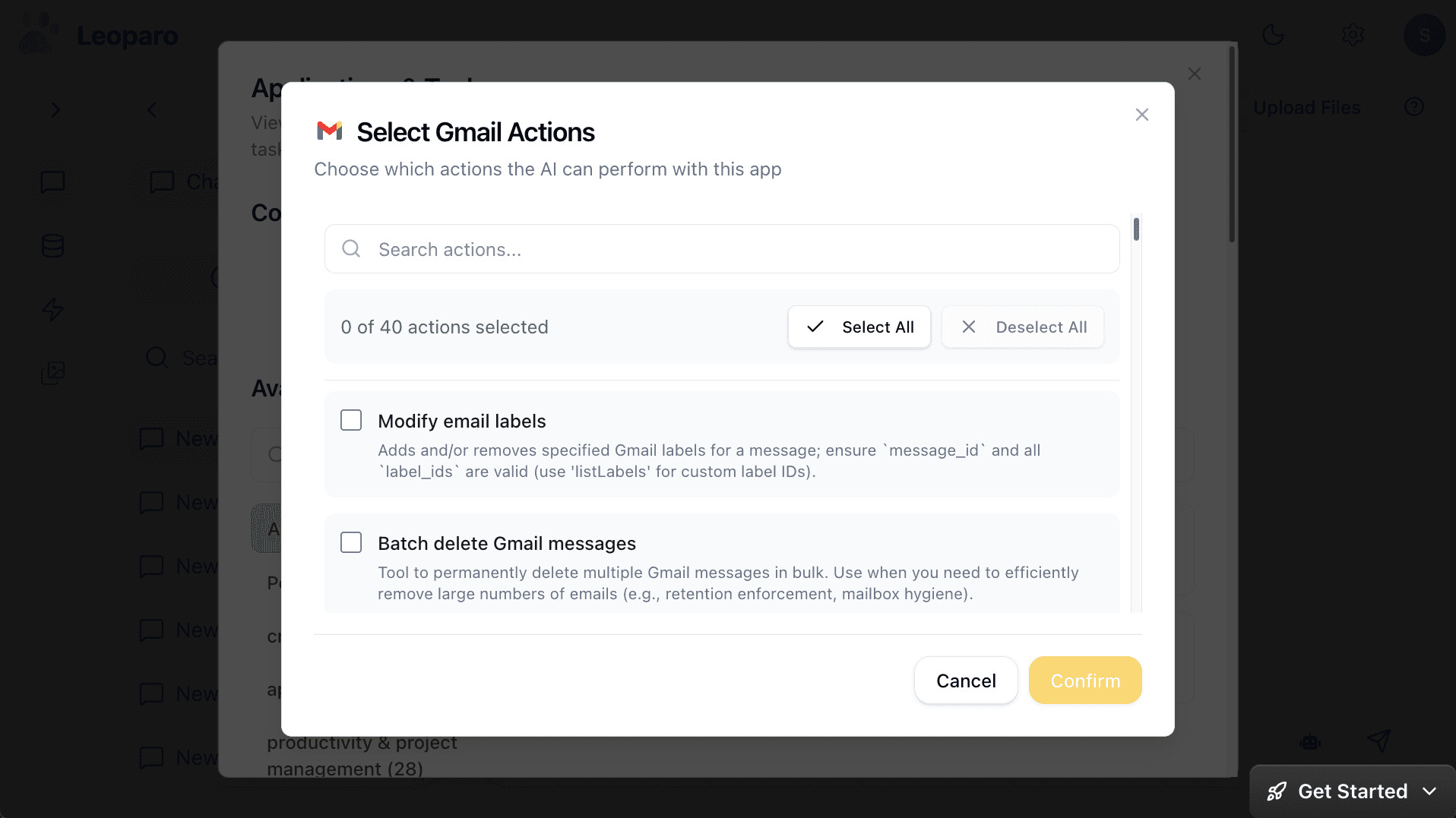
Want the AI to read and draft emails, but never send or delete? Just uncheck those permissions. Want a different chat to have full access? Set it separately. Each chat has its own permission scope.
This isn’t relevant for Perplexity — it can’t take actions on your apps, so there’s nothing to control. But the moment your AI starts interacting with your email, your calendar, and your files, granular permissions aren’t optional.
See everything the AI does
Every tool call is visible. You see what the AI called, what parameters it used, and what came back.
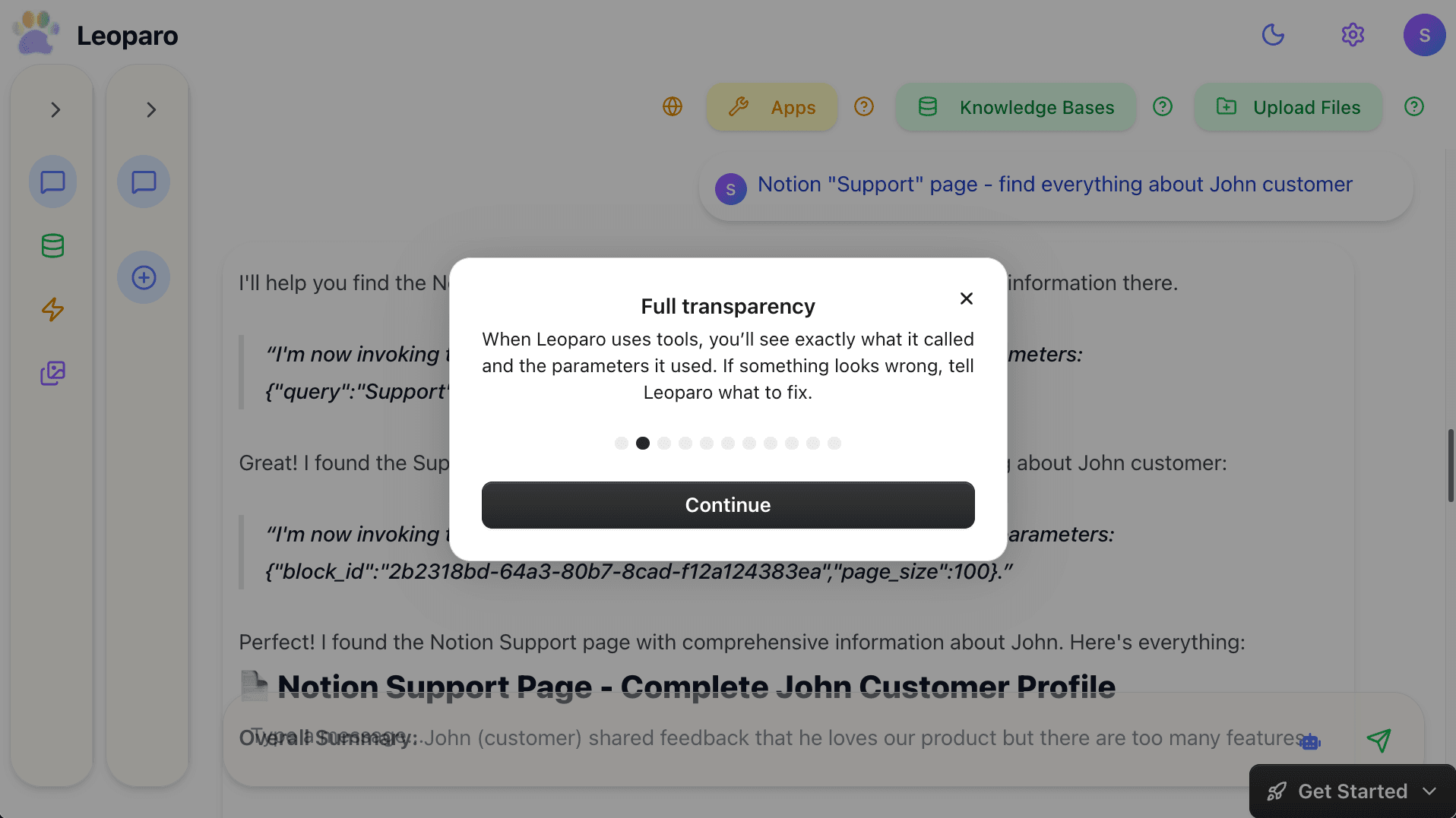
If something looks wrong, tell the AI to fix it — before anything is sent, posted, or updated.
Your files live across chats — not inside conversations
Perplexity lets you upload files to a conversation — up to 3 per day on free, unlimited on Pro. But those files live inside that specific thread. Start a new conversation, and you need to upload them again. Spaces help organize research, but each Space is its own silo.
In Leoparo, you create persistent knowledge bases. Upload your files, links, or YouTube videos once. Connect that knowledge base to any chat — current or future. Different chats can reference different knowledge bases, or share the same one.
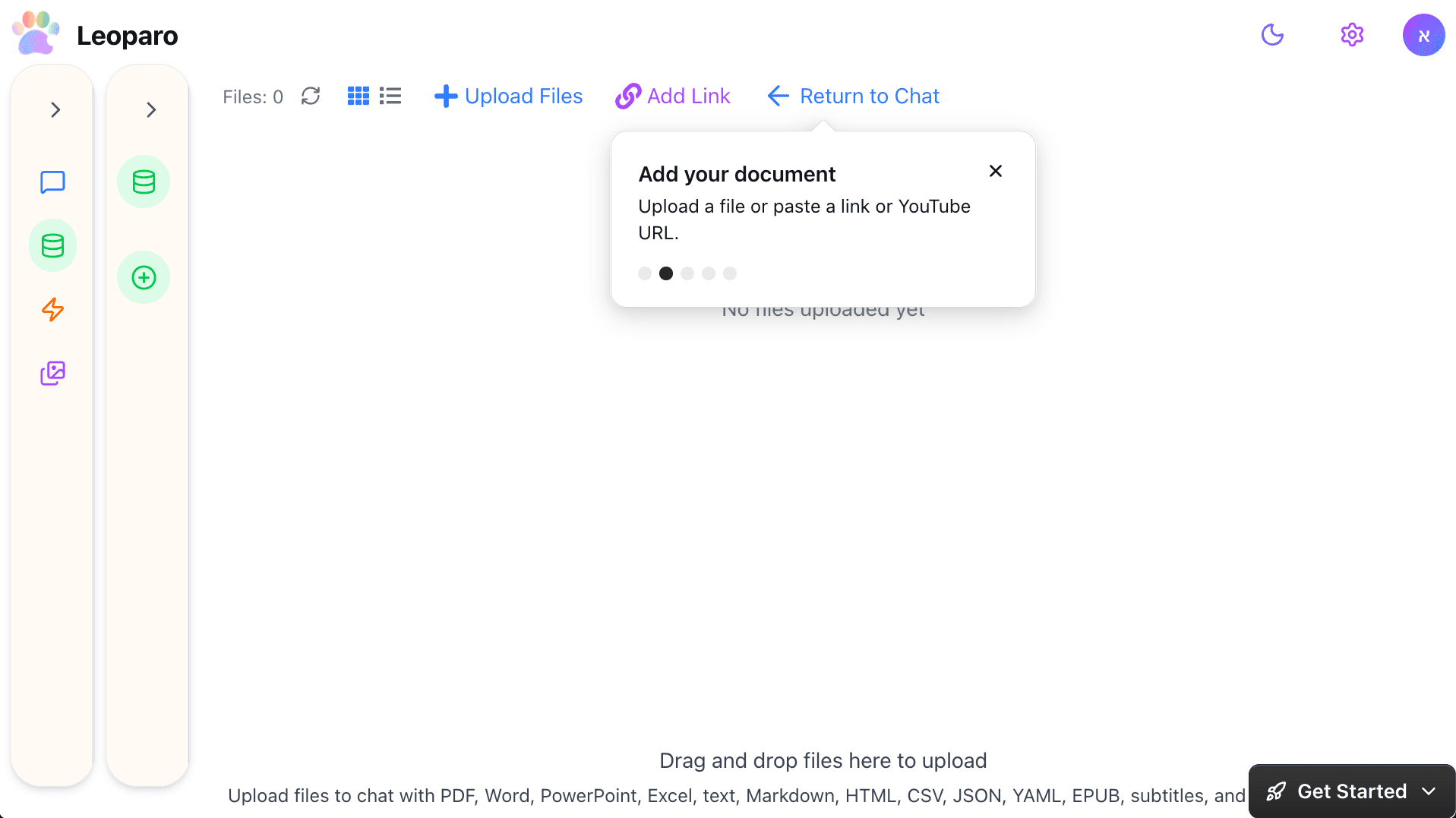
It’s not per-conversation file uploads that reset every time. It’s a permanent library your AI can always draw from — across every chat and every automation.
Research on autopilot
This is something Perplexity simply can’t do. Perplexity requires you to be there, typing queries. It’s a tool you go to.
In Leoparo, you can set up automations that combine web search, your knowledge bases, and your apps — and run on their own.
“When I get an email from a client, search the web for their latest company news, check my company docs for context, and draft a personalized reply.”
“When I get a bill by email, extract the amount and add it to my Notion bills table.”
“When a new document arrives in my inbox, summarize it and send the summary to Slack.”
You define the trigger, describe the action in plain language, connect the apps and knowledge bases it needs, and it runs 24/7. No Zapier, Make, or n8n needed. It’s the same AI you chat with, running on autopilot.
Perplexity finds answers when you ask. Leoparo works for you even when you’re not asking.
Pick the right model for the job
Perplexity uses its own model selection behind the scenes. You don’t choose — it picks the model it thinks is best for each query.
In Leoparo, you pick the model. GPT for brainstorming. Claude for long documents and coding. Gemini for research. Switch mid-conversation if you want.
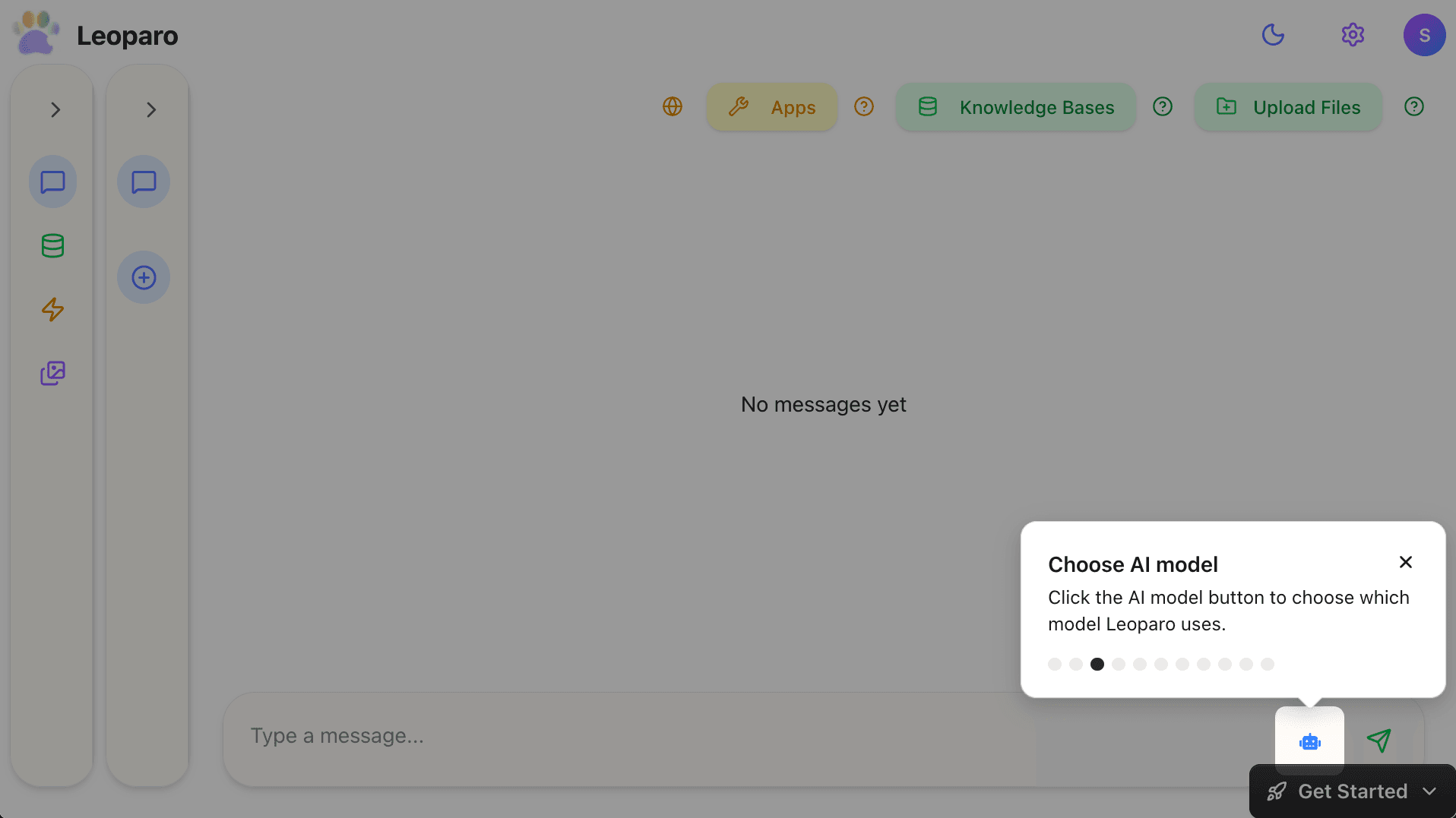
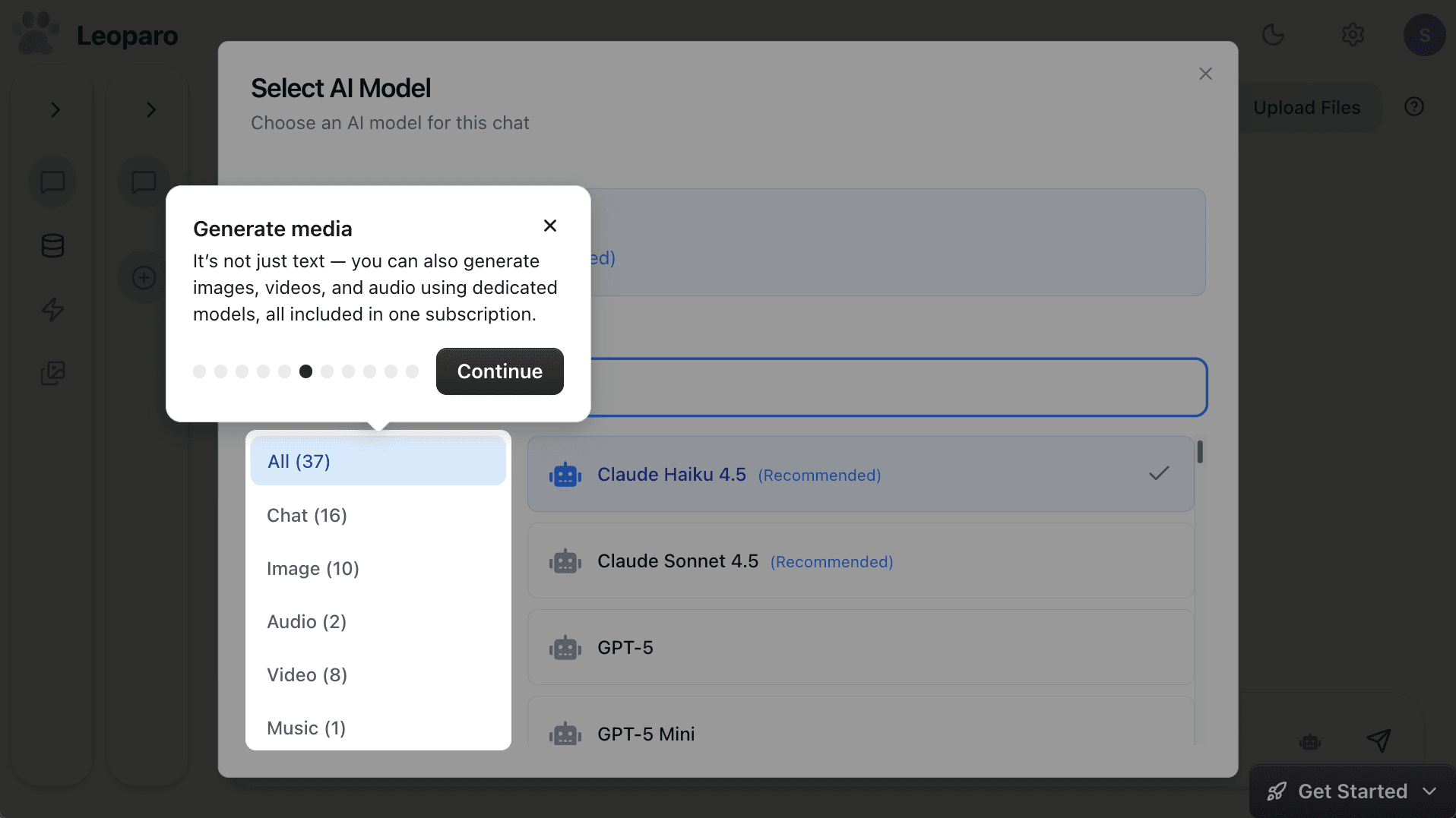
And it’s not just text. Leoparo includes dedicated models for images, video, and audio — all in one subscription.
Full comparison
| Perplexity | Leoparo | |
|---|---|---|
| Best for | Web research and real-time search | Research + apps + action + automation |
| AI models | Perplexity’s selection | All top models — you choose |
| Web search | Best in class, with citations | Built-in |
| Deep Research | Yes — multi-step, multi-source | No |
| App integrations | None | 500+ apps |
| Take actions | No (mobile assistant only) | Yes — email, Slack, Notion, Calendar, and more |
| File handling | Per-conversation upload | Persistent knowledge bases, reusable across chats |
| Automations | No | Yes — natural language triggers and actions |
| Cross-chat knowledge | Spaces (per-space only) | Knowledge bases connect to any chat |
| Granular permissions | N/A | Yes — per chat and per automation |
| Media generation | No | Images, video, and audio |
| Shopping | Yes (with checkout) | No |
| Pricing | Free / ~$20/mo | ~$20/mo |
Which one should you use?
If you need the best AI search engine, use Perplexity. Deep Research is genuinely unmatched for complex, multi-source investigations. Cited answers make verification easy. Real-time data keeps you current. For pure web research, nothing else is close.
If you need AI that finds answers AND works with your apps — emails the summary to your team, adds data to Notion, posts to Slack, triggers automations, all with the AI model of your choice — Leoparo is the next step.
You can use both. Perplexity for deep web research when you need the most thorough investigation possible. Leoparo for everything else — the apps, the files, the automations, and the action.
Because the best answer in the world doesn’t help if it’s stuck in a browser tab.
Ready to try it?
- Chat with your first app — connect Gmail, Slack, Notion, or 500+ others
- Chat with your first document — upload a file and start asking questions
- Set up your first automation — in under 2 minutes
- Pro tips — control permissions, switch AI models, and more