NotebookLM Is Great for Research — But What Happens When You Need AI That Actually Does Things?

A few weeks ago, a colleague showed me something impressive. She’d uploaded her entire company knowledge base to NotebookLM — onboarding docs, client briefs, product specs — and asked it to summarize the key points for a new hire. It nailed it. Cited sources. Got the nuances right. Even generated an Audio Overview that sounded like a podcast episode about her company.
Then she said: “Now I want to email this summary to the new hire.”
She copied the text. Opened Gmail. Pasted it. Reformatted it. Added context. Hit send.
I asked: “Why didn’t the AI just do that?”
She looked at me like the question didn’t make sense. “It can’t. It’s NotebookLM.”
And that’s the thing. NotebookLM is one of the best AI tools ever built — for a very specific job. But the moment you need the AI to do something with what it learned, you’re on your own.
NotebookLM is genuinely excellent at what it does
Let’s be clear: this isn’t a “NotebookLM is bad” post. It’s one of the most impressive AI tools Google has ever shipped, and for research and document analysis, nothing else comes close.
Source-grounded answers. Unlike ChatGPT or Claude, NotebookLM only answers from your uploaded sources. Every response includes citations you can verify. This dramatically reduces hallucinations — if it’s not in your documents, it won’t make it up.
Audio Overviews. This feature alone made NotebookLM famous. Upload a dense research paper, and NotebookLM turns it into a podcast-style conversation between two AI hosts who explain, debate, and summarize the content. It’s genuinely fun to listen to, and it makes complex material accessible in a way that reading never could.
Study tools. Flashcards, quizzes, study guides — all generated from your sources. If you’re a student or researcher, this is a game-changer.
Video Overviews. A narrated slide deck generated from your documents. Upload a report, get a presentation.
Generous free tier. 100 notebooks, 50 sources each, free. That’s a lot of research capacity at zero cost.
If your workflow is “upload documents → understand them better,” NotebookLM is hard to beat.
But most people don’t stop there.
The two tools at a glance
| NotebookLM | Leoparo | |
|---|---|---|
| AI models | Gemini only | GPT, Claude, Gemini, and more — you choose |
| Document support | Notebooks (50 sources free, 300 paid) | Persistent knowledge bases, reusable across chats |
| App integrations | Google Workspace only | 500+ apps (Gmail, Slack, Notion, Jira, GitHub, and more) |
| Can take actions | No — read-only analysis | Yes — send emails, update Notion, post to Slack, etc. |
| Automations | No | Yes — natural language triggers and actions |
| Audio Overviews | Yes (podcast-style) | No |
| Study tools | Yes (flashcards, quizzes) | No |
| Granular permissions | N/A (no actions to control) | Yes — per chat and per automation |
| Media generation | No | Images, video, and audio |
| Pricing | Free / ~$20/mo (Plus) | ~$20/mo (Pro) |
The read-only wall
Here’s the pattern I keep seeing.
Someone discovers NotebookLM. They upload their documents. They get brilliant summaries, clear explanations, perfectly cited answers. They think: “This is exactly what I needed.”
Then they want the AI to do something with what it knows. And they hit a wall.
“Summarize this report and email it to my team.” NotebookLM can summarize it. But it can’t email it. You copy, switch tabs, paste, format, send.
“Extract the expenses from this PDF and add them to my spreadsheet.” NotebookLM can extract the numbers. But it can’t touch your spreadsheet. You copy the numbers, open Sheets, type them in.
“Using my company docs, draft a reply to this client email.” NotebookLM doesn’t have access to your email. It doesn’t know a client emailed you. It can’t draft a reply. It can only analyze documents you’ve already uploaded.
“When I get a new document, automatically summarize it and notify me.” NotebookLM doesn’t do automations. There’s no triggers. No scheduled runs. No background processing.
Every time, the answer is the same: NotebookLM understands your documents beautifully. But it can’t act on that understanding. It’s a read-only brain.
And it’s not just about actions. Notebooks can’t talk to each other . If you’ve uploaded overlapping sources across different notebooks, NotebookLM won’t surface those connections. There’s no cross-referencing, no unified knowledge graph. Each notebook is an island.
What if your AI could understand AND act?
This is the core difference with Leoparo. The starting point is the same — upload your documents, ask questions, get answers. But instead of stopping at understanding, the AI can actually do things with what it knows.
Here’s what that looks like.
Upload your documents — once
Just like NotebookLM, you upload your files to a knowledge base. PDFs, spreadsheets, links, YouTube videos — same idea.
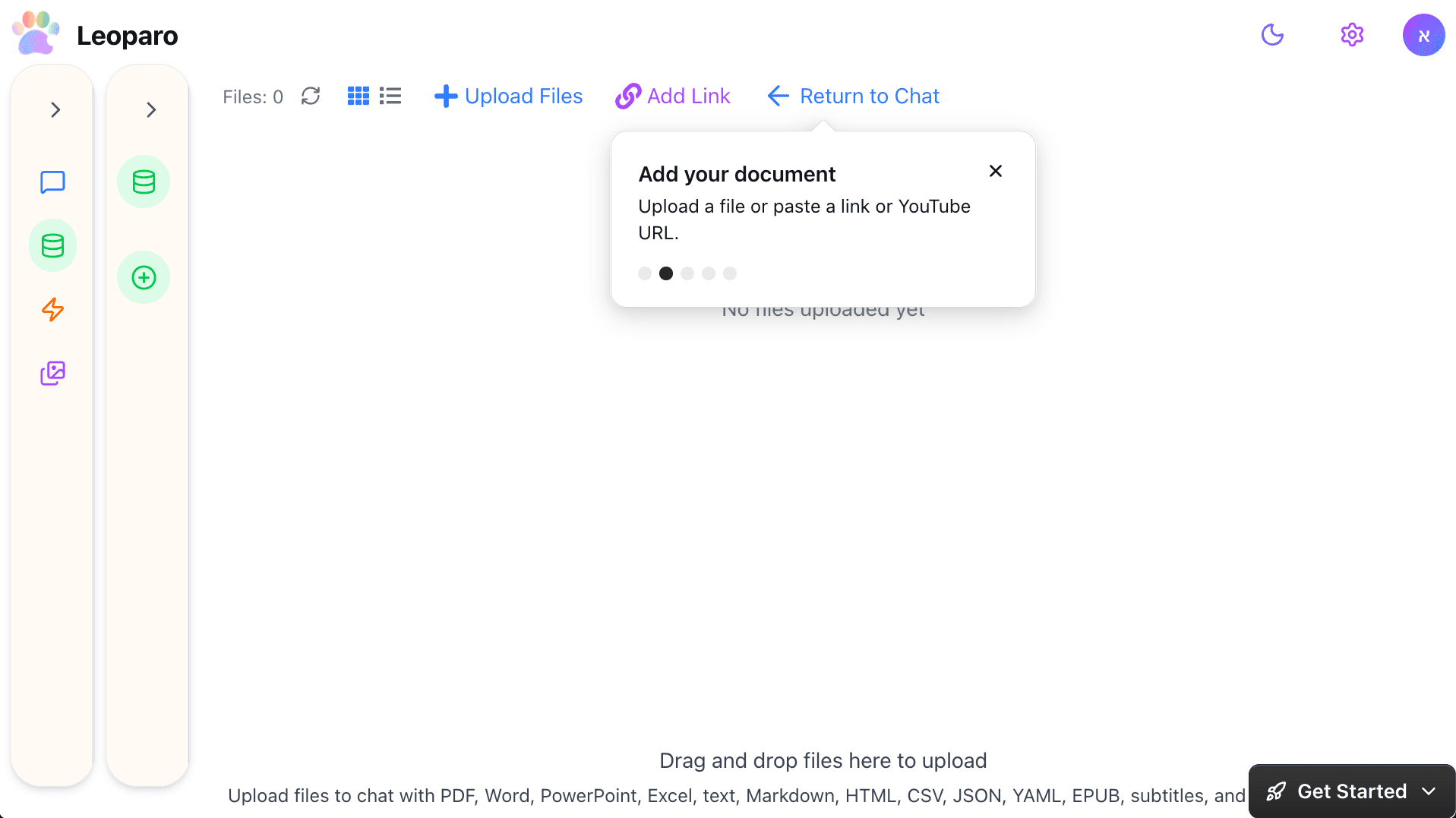
But here’s the difference: knowledge bases in Leoparo are persistent and reusable. Connect the same knowledge base to any chat — current or future. Different chats can reference different knowledge bases, or share the same one. No re-uploading, no duplicating, no 50-source limits per notebook.
Connect your apps
This is the part NotebookLM can’t do. In Leoparo, you connect your apps — Gmail, Slack, Notion, Google Calendar, Jira, GitHub, Linear, and 500+ more.
Now you can say: “Using my company docs, draft a reply to this client’s email.” And the AI will read your knowledge base for context, read the email, and draft the reply. All in one place. No tab-switching. No copy-pasting.
Control exactly what the AI can do
When you connect an app, you don’t hand over the keys. You choose exactly which permissions the AI gets — per chat.
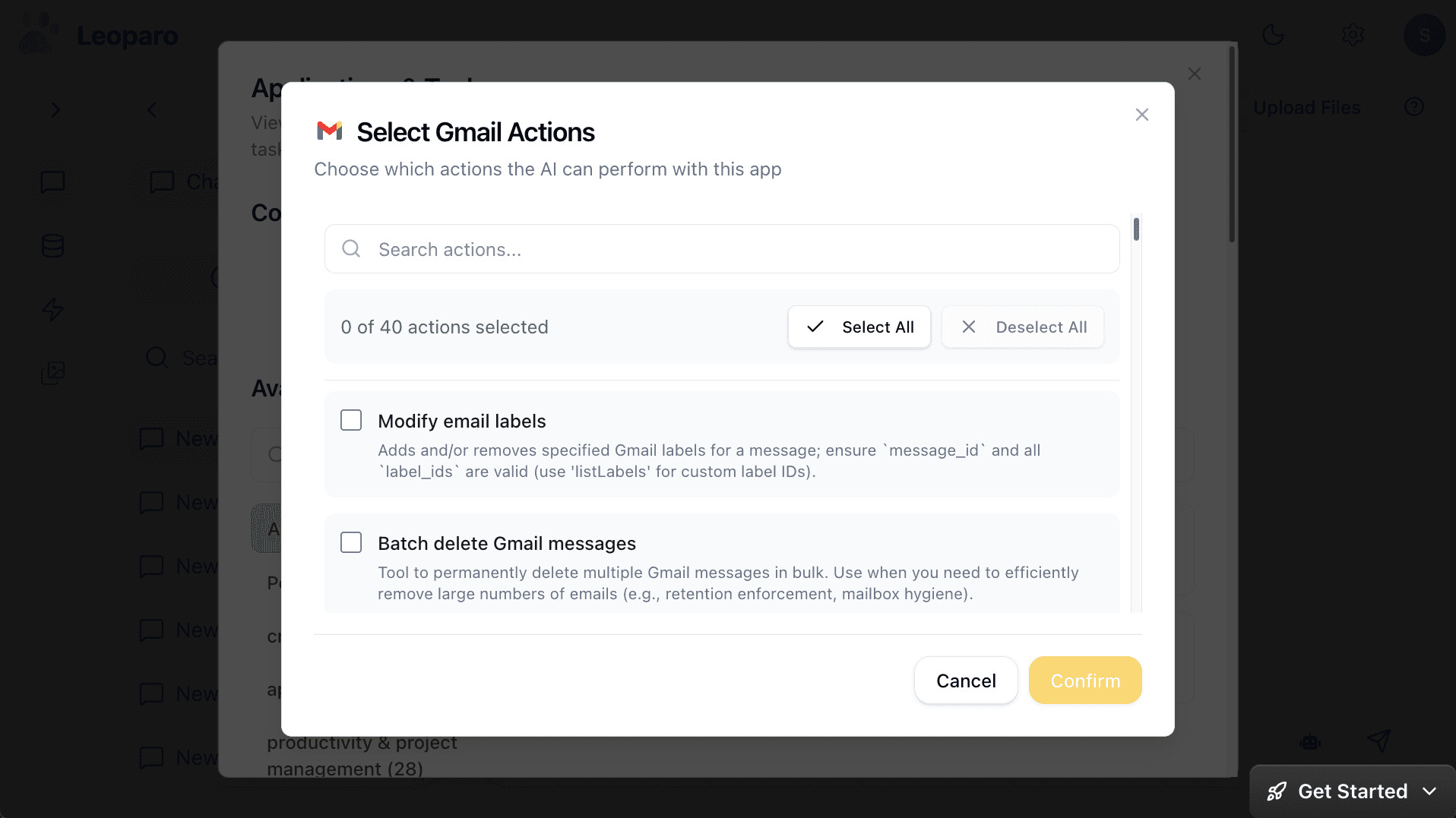
Want the AI to read and draft emails, but never send or delete? Just uncheck those permissions. Want a different chat to have full access? Set it separately. Each chat has its own permission scope.
This isn’t relevant for NotebookLM — it can’t take actions, so there’s nothing to control. But the moment your AI starts interacting with your apps, granular permissions matter.
See everything the AI does
Every tool call is visible. You see what the AI called, what parameters it used, and what came back.
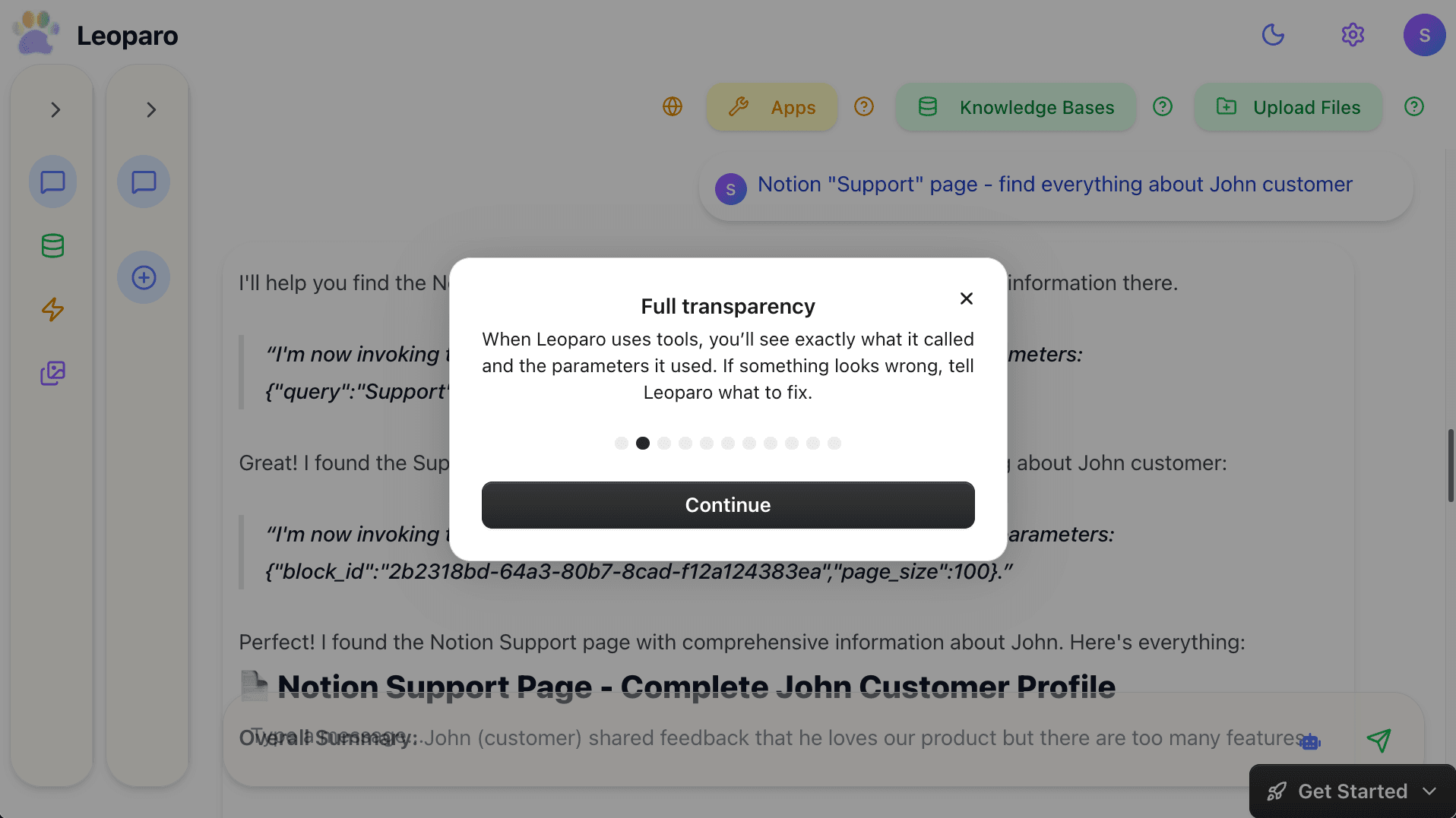
If something looks wrong, tell the AI to fix it — before anything is sent.
Your documents + your apps + automations
This is where things get really different from NotebookLM.
In Leoparo, you can set up automations that combine your knowledge bases with your apps — and run on their own, without you being in the chat.
“When I get an email from a client, check my company docs for context, and draft a reply.”
“When I get a bill by email, extract the amount and add it to my Notion bills table.”
“When a new document arrives, summarize it and send the summary to Slack.”
You define the trigger, describe the action in plain language, connect the apps and knowledge bases it needs, and it runs 24/7. No Zapier, Make, or n8n needed. No separate tool to learn. It’s the same AI you chat with, running on autopilot.
NotebookLM has no equivalent. It’s a tool you go to — not a tool that works for you.
One model vs. all models
NotebookLM runs on Gemini. Only Gemini. You don’t get to choose.
Gemini is great — especially for research and long-context tasks. But it’s not the best at everything. GPT is often better for creative writing. Claude is the best at coding and long documents . Different models have different strengths.
In Leoparo, you pick the model that fits the task. GPT for brainstorming. Claude for contracts and code. Gemini for research. Switch mid-conversation if you want.
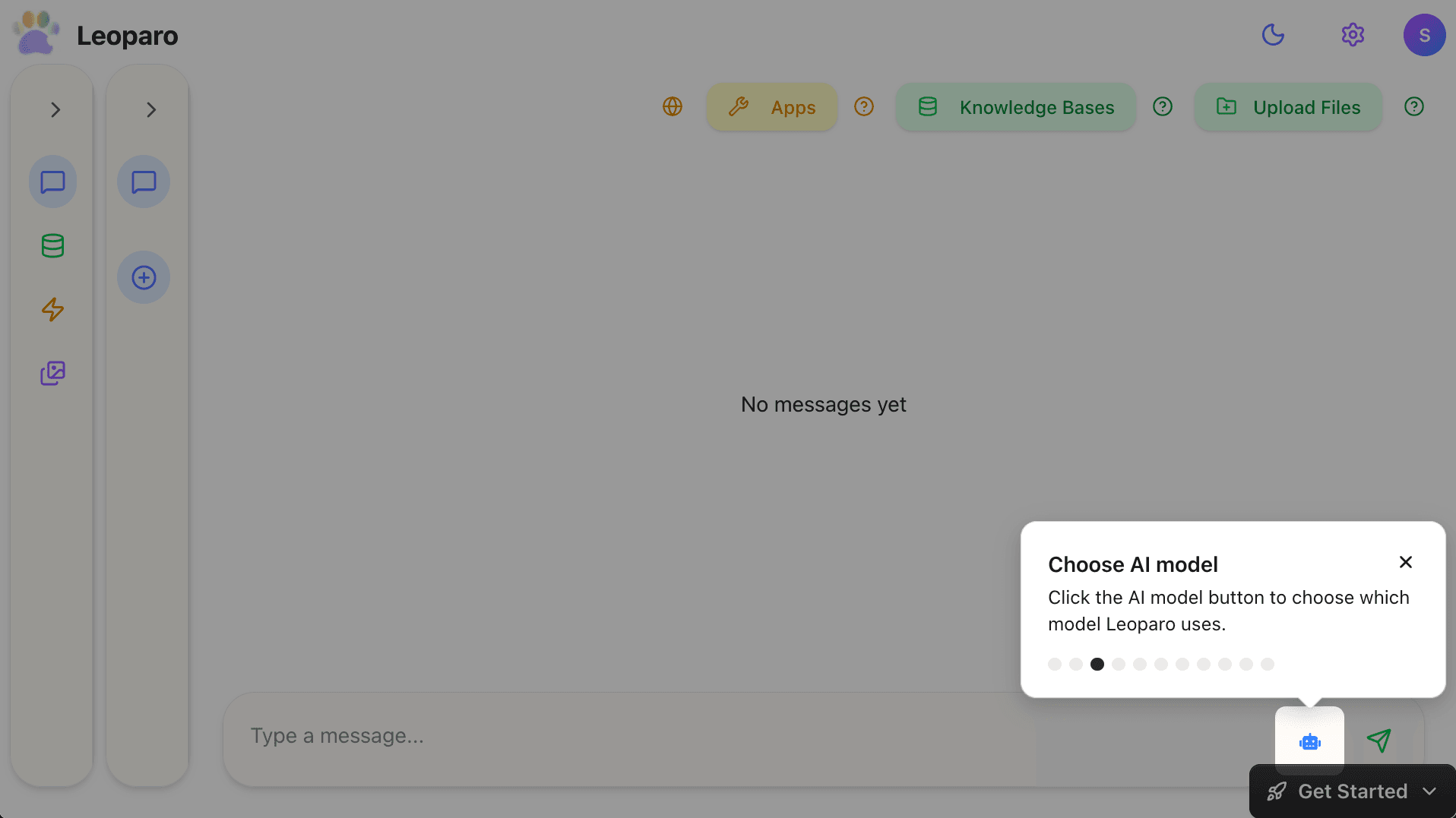
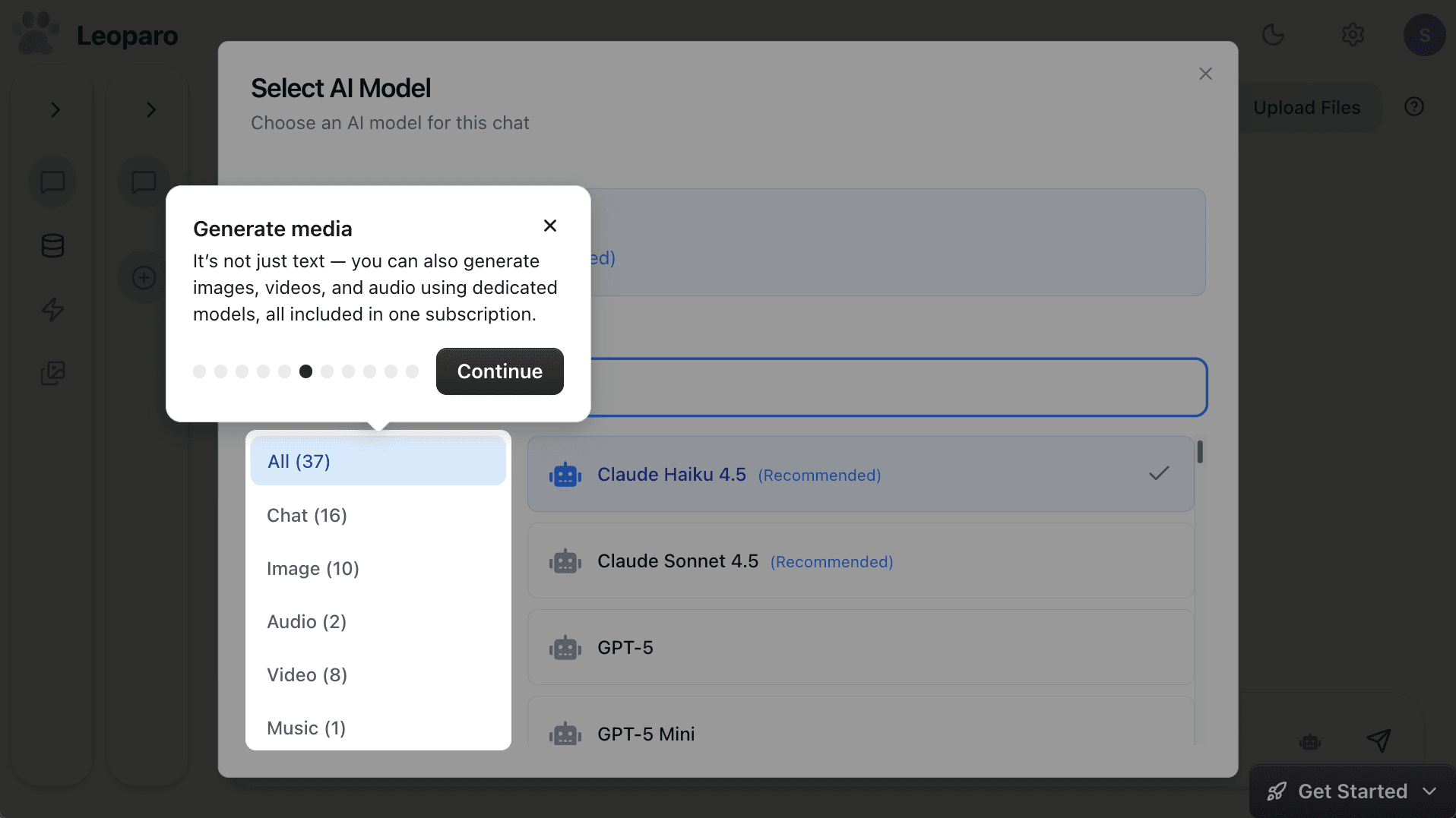
And it’s not just text. Leoparo includes dedicated models for images, video, and audio — all in one subscription. NotebookLM generates Audio Overviews, but it can’t create images, videos, or other media.
Full comparison
| NotebookLM | Leoparo | |
|---|---|---|
| Best for | Research and document analysis | Research + action + automation |
| AI models | Gemini only | All top models — you choose |
| Document handling | Notebooks (50-300 sources) | Knowledge bases, reusable across chats |
| App integrations | Google Workspace only | 500+ apps |
| Take actions | No — read-only | Yes — email, Slack, Notion, Calendar, and more |
| Automations | No | Yes — natural language triggers and actions |
| Cross-notebook knowledge | No — notebooks are isolated | Yes — knowledge bases connect to any chat |
| Audio Overviews | Yes (podcast-style) | No |
| Study tools | Yes (flashcards, quizzes) | No |
| Granular permissions | N/A | Yes — per chat and per automation |
| Media generation | No | Images, video, and audio |
| Pricing | Free / ~$20/mo | ~$20/mo |
Which one should you use?
If you need a research and study tool, NotebookLM is excellent. Audio Overviews are unique and genuinely useful. Study tools are great for learning. Source-grounded answers reduce hallucinations. And the free tier is generous enough for most research projects.
If you want AI that understands your documents AND works with your apps — drafts emails using your company docs, updates spreadsheets, posts to Slack, triggers automations, all with the AI model of your choice — Leoparo is the next step.
You can even use both. NotebookLM for deep research and Audio Overviews. Leoparo for everything else — the chat, the apps, the automations, and the action.
Ready to try it?
- Chat with your first app — connect Gmail, Slack, Notion, or 500+ others
- Chat with your first document — upload a file and start asking questions
- Set up your first automation — in under 2 minutes
- Pro tips — control permissions, switch AI models, and more