The Best Productivity Apps in 2026 — And the Missing Piece That Connects Them All

I counted how many times I switched apps yesterday. Forty-seven times. Gmail to Slack. Slack to Notion. Notion to Google Calendar. Calendar back to Gmail. Copy, paste, reformat, repeat.
I have the best productivity apps on the market. Every single one of them is excellent at what it does. And I still spend half my day moving information between them.
Here’s the paradox of productivity in 2026: we’ve never had better tools, and we’ve never spent more time managing them. The apps are great. The workflow between them is broken.
This post is about the apps that actually deserve a spot on your dock — the ones I keep coming back to after years of trying alternatives. And at the end, the one piece that finally made them all work together.
All picks at a glance
| App | Category | Best for | Price |
|---|---|---|---|
| Gmail | The email everyone uses | Free / ~$7/mo | |
| Slack | Messaging | Team communication | Free / ~$8/mo |
| Notion | Notes & Docs | Flexible workspace | Free / ~$10/mo |
| Google Calendar | Calendar | Scheduling | Free |
| Todoist | Tasks | Simple task management | Free / ~$5/mo |
| Linear | Project management | Engineering teams | Free / ~$8/mo |
| Figma | Design | Collaborative design | Free / ~$15/mo |
| Loom | Video | Async communication | Free / ~$13/mo |
| 1Password | Security | Password management | ~$3/mo |
| Leoparo | AI layer | Connecting it all | ~$20/mo |
Email — Gmail
Gmail doesn’t need an introduction. 1.8 billion people use it. Powerful search, labels, filters, deep integration with the entire Google ecosystem. If you use Google Workspace, everything — Calendar, Drive, Meet, Docs — lives inside the same account.
Everyone uses Gmail. Nobody loves managing it.
The problem: Reading, replying, triaging, and organizing email still eats hours every week. You open your inbox at 9 AM, and suddenly it’s 11. The emails that matter are buried between newsletters, notifications, and CC threads you didn’t need to be on.
Team Communication — Slack
Slack is the nervous system of modern teams. Channels keep conversations organized. Threads keep them focused. Huddles replace unnecessary meetings. Integrations connect it to practically everything — GitHub, Jira, Google Drive, Figma, you name it.
For real-time team communication, nothing else comes close. Even the companies that tried to leave Slack keep coming back.
The problem: Information gets buried. “That thing someone said last Tuesday” is somewhere in a thread, in a channel you might not remember, behind a search that returns 200 results. Slack is great for communication. It’s terrible for retrieval.
Notes & Documentation — Notion
Notion is the Swiss Army knife of productivity. Simple notes. Complex databases. Project boards. Wikis. Internal docs. Personal journals. It does everything, and it does it in a way that feels clean and customizable rather than bloated.
Once you learn to think in databases, Notion becomes the backbone of how you organize information.
The problem: Getting information into Notion is still manual. You read an email, copy the relevant parts, open Notion, find the right page, paste, format. Repeat for Slack messages, meeting notes, documents. Notion is where information lives — but it doesn’t go there by itself.
Calendar — Google Calendar
Google Calendar just works. Shared calendars, meeting scheduling, integration with Gmail and Meet, time zone support. It’s simple, reliable, and everyone already has it.
The problem: Scheduling a meeting after an email thread still means switching to Calendar, typing the subject, adding participants, picking a time, and adding context — all information that was already in the email. You’re retyping what you just read.
Task Management — Todoist
Todoist has been around for over a decade, and it’s still the cleanest task manager available. Natural language input (“Email client about proposal tomorrow at 2pm”), projects, labels, filters, and a satisfying karma system that makes checking things off feel rewarding.
It’s fast. It’s cross-platform. It stays out of your way.
Honorable mentions: TickTick for habit tracking alongside tasks. Things 3 for Apple purists who want beauty.
The problem: Tasks come from everywhere — emails, Slack messages, meetings, documents — but they don’t arrive in Todoist automatically. You read an email, decide it’s a task, open Todoist, type it in. That manual step between “I need to do this” and “it’s in my task list” is where things fall through the cracks.
Project Management — Linear
Linear is what happens when you rethink project management from scratch. It’s fast — genuinely, noticeably fast. Keyboard-first. Opinionated in the right ways. Cycles instead of sprints. Auto-archiving instead of stale backlogs. Engineering teams love it because it respects their time.
Honorable mentions: Asana for cross-functional teams. Jira for enterprise (if you can forgive the UX).
The problem: Context lives in emails and Slack, but issues live in Linear. Creating an issue from a conversation means copying the context, switching apps, writing the description, tagging the right people. The information exists — it’s just in the wrong app.
Design — Figma
Figma is the standard for collaborative design. Browser-based, real-time multiplayer, components and design systems that scale. If you design interfaces, there’s nothing else.
Async Video — Loom
Loom replaces the meetings that should have been videos. Record your screen and face, share a link, get timestamped comments back. For walkthroughs, bug reports, and updates — faster than writing, clearer than text.
Security — 1Password
1Password is the foundation everything else sits on. Without it, you’re reusing passwords, forgetting logins, and losing access to things. Shared vaults for teams, passkey support, 2FA built in. It’s not exciting, but it’s essential.
The copy-paste problem
Every app on this list is excellent at what it does. I genuinely use all of them. They’ve each survived years of alternatives trying to replace them.
But here’s the thing: none of them talk to each other well.
The real productivity killer in 2026 isn’t any single app. It’s the space between apps — the switching, the copying, the pasting, the reformatting, the context that gets lost every time you move from one window to another.
Watch what a simple client interaction actually looks like:
- Client emails you in Gmail
- You read it, copy the key points
- Paste them into a Notion project page
- Create a task in Todoist to follow up
- Open Google Calendar to schedule a meeting
- Go back to Gmail to reply
Six steps. Five apps. Ten minutes. For something that should take ten seconds.
Or this one:
Someone asks a question in Slack. You know the answer is in an email from last month. You search Gmail, find the thread, copy the relevant paragraph, go back to Slack, paste it, add context. Three apps for one answer.
Or this:
You get a bill by email. Open the attachment. Extract the amount. Open Notion. Find the right table. Type the number in manually. Close the PDF. Archive the email. Every month. For every bill.
This is what productivity looks like in 2026: world-class apps, connected by copy-paste.
And here’s the frustrating part — AI was supposed to fix this. ChatGPT, Claude, Gemini — they’re brilliant at answering questions. But ask any of them to “summarize my unread emails and add the action items to Todoist” and they can’t. They don’t have access to your apps. They live in a text box, disconnected from the tools where your work actually happens.
What if your AI could actually use your apps?
This is the problem we built Leoparo to solve. Not another productivity app. Not a replacement for Gmail or Notion or Slack. The AI layer that sits on top of your existing stack and makes it work together.
Chat with all your apps in one place
Connect Gmail, Slack, Notion, Google Calendar, and 500+ other apps. Then just talk to them:
- ✉️ “Summarize my unread emails — and draft replies when needed”
- 👥 “Gather everything about Client X — from Gmail, Slack, Jira, and Notion”
- 📄 “Review this contract — and schedule a follow-up meeting in Google Calendar”
One message. One app. No switching. No copy-pasting.
Control what the AI can do
When you connect an app, you choose exactly which permissions the AI gets — per chat. Read emails but never send. Draft replies but never delete. You decide.
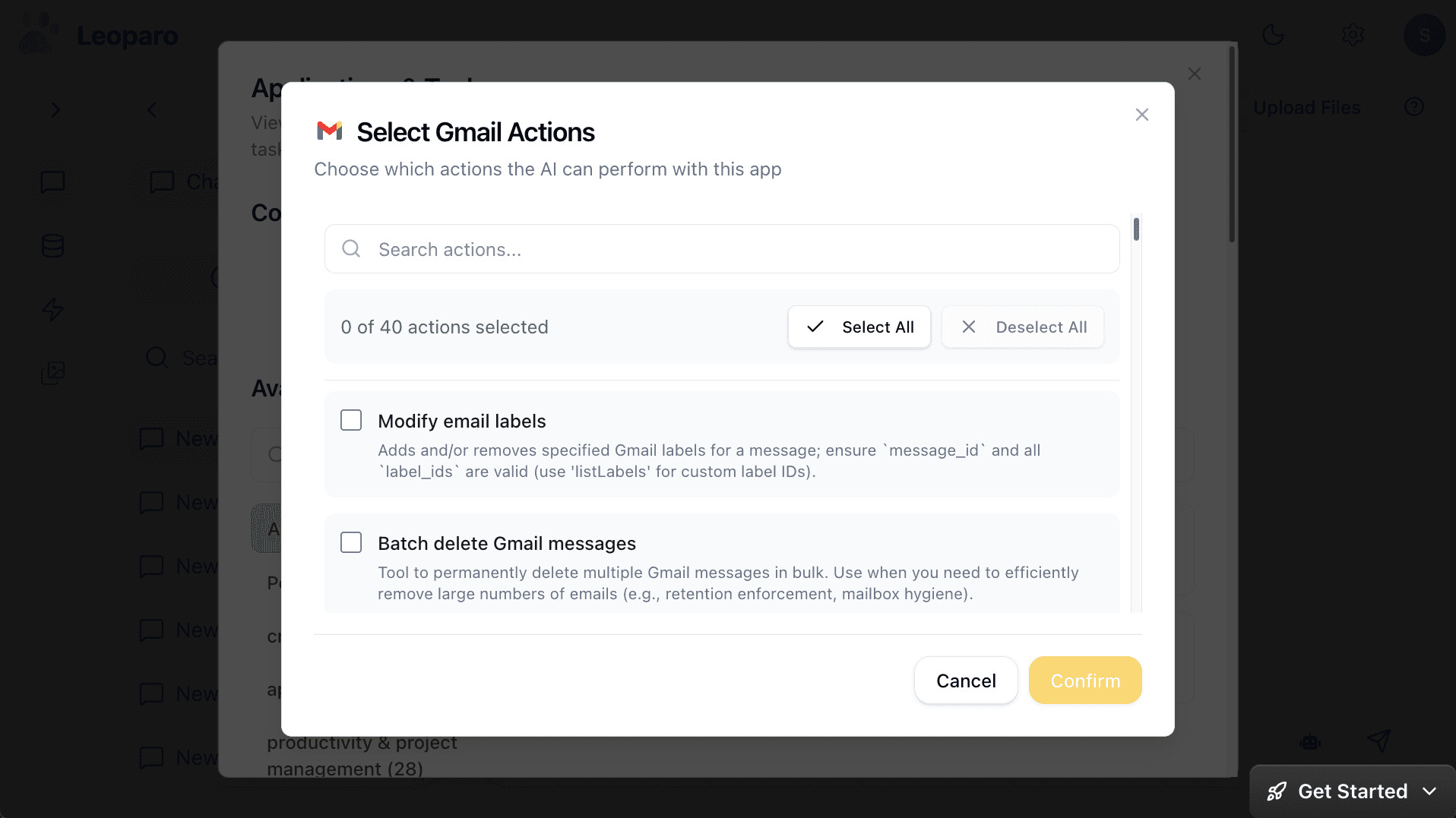
No other AI tool offers this level of control. When the AI is working across your email, calendar, and files, granular permissions matter.
Your files as context
Upload contracts, proposals, reports, spreadsheets — anything. The AI uses your documents as context when working with your apps.
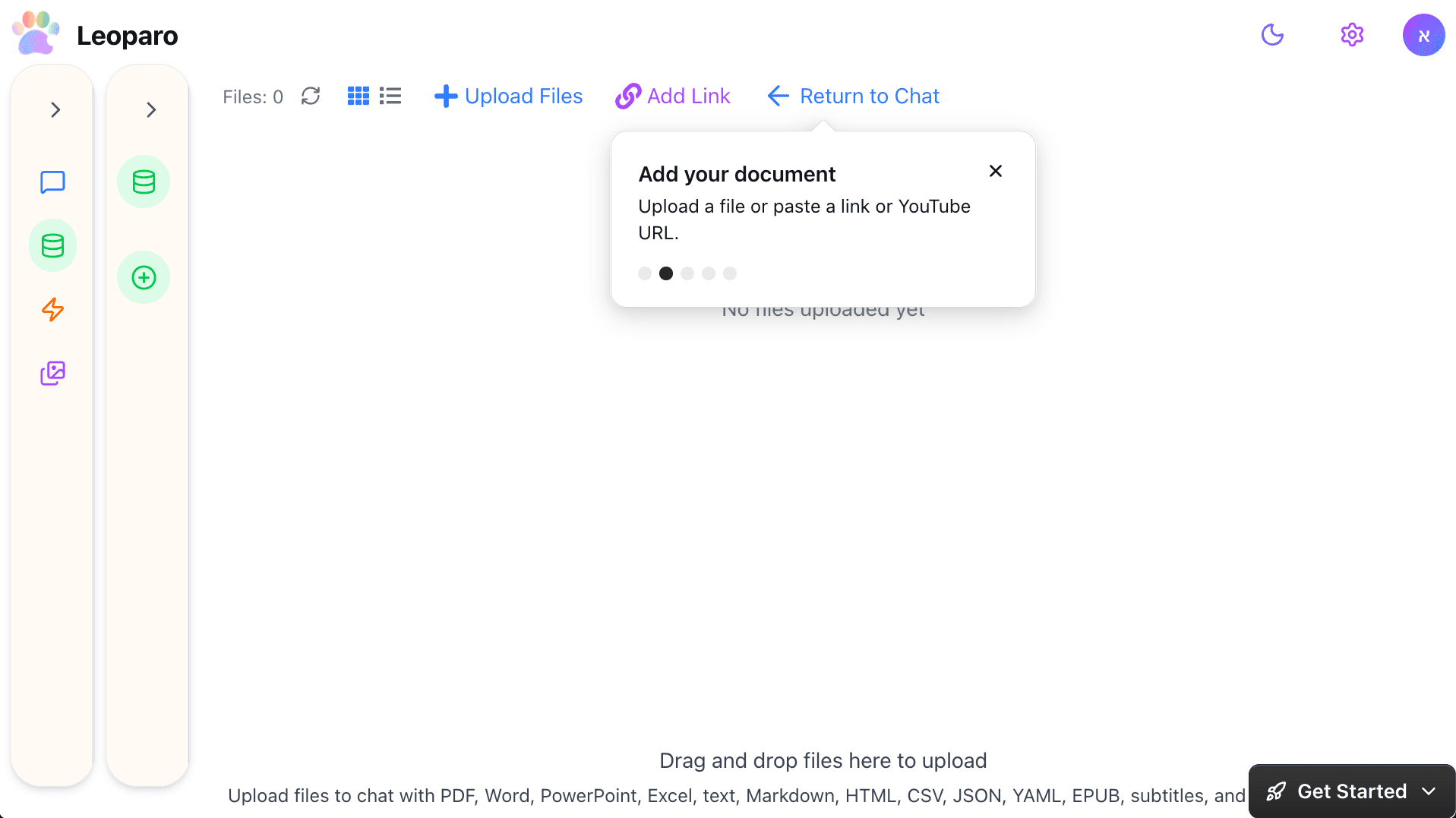
“Using my company docs, draft a reply to this client email.” One step. Not four tabs and three copy-pastes.
Automations that connect your apps
This is where it gets really powerful. Set up automations that run between your apps — without you being there:
- ⚡ “When I get an email → use my docs for context and draft a reply”
- 💰 “When I get a bill by email → add it to my Notion bills table”
No Zapier, Make, or n8n. No workflow builder. Describe the trigger. Describe the action. It runs 24/7.
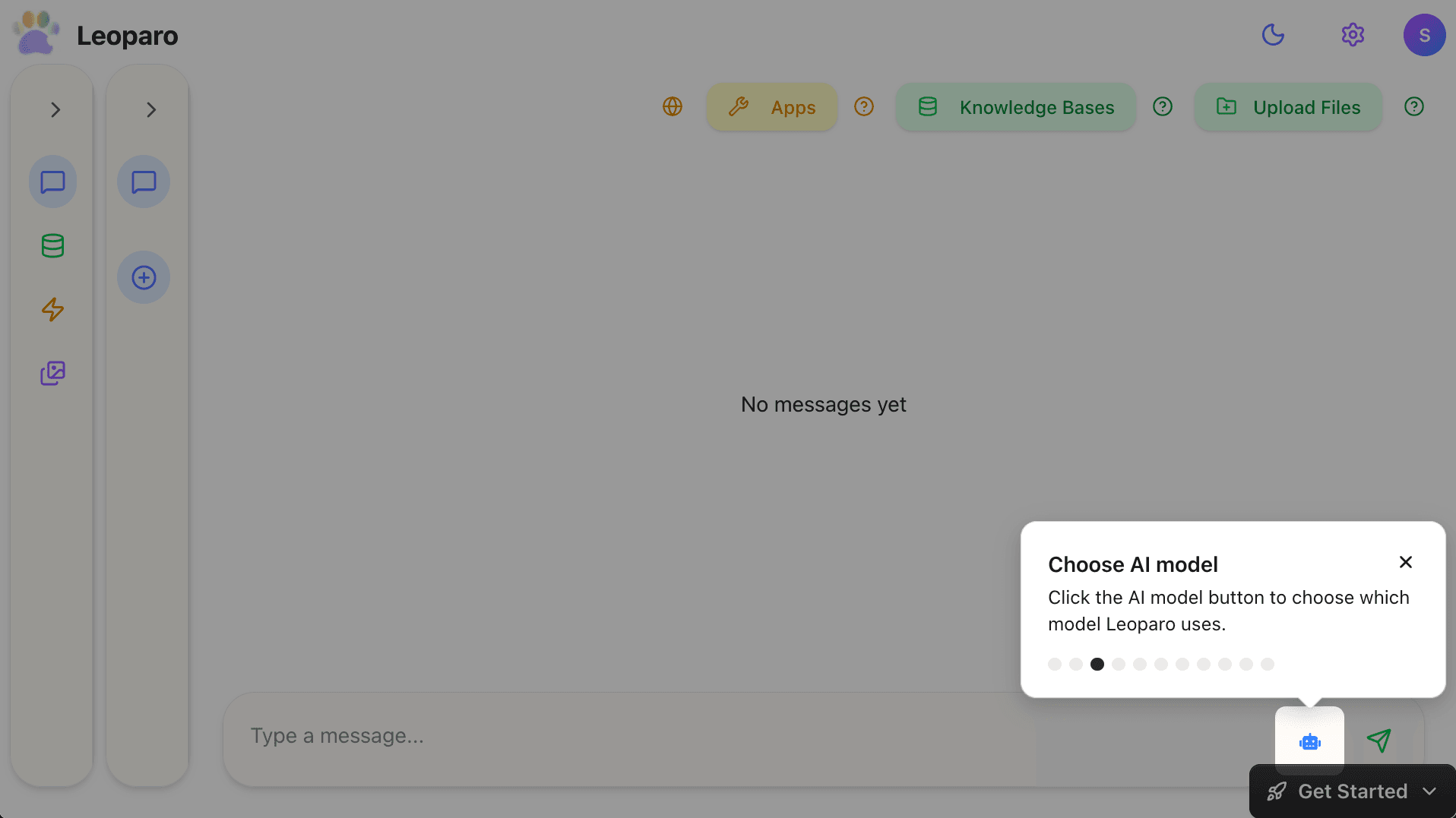
All AI models — you choose
GPT for brainstorming. Claude for long documents. Gemini for research. Switch mid-conversation. Pick the model that works best for the task.
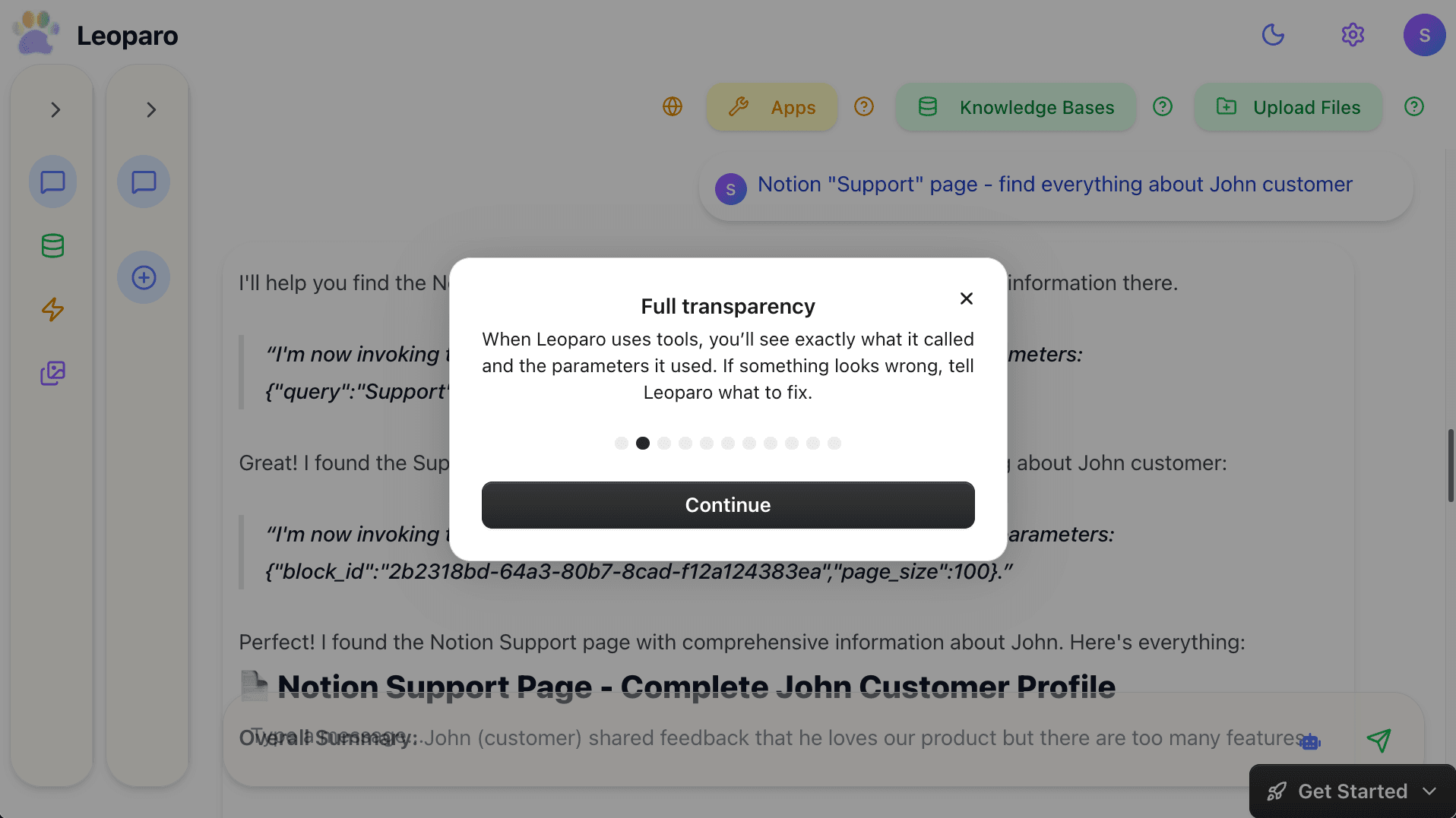
Full transparency
Every action the AI takes across your apps is visible. You see what it called, what parameters it used, and what came back. If something looks wrong, you fix it before anything is sent.
What your workflow actually looks like
| Your workflow today | With Leoparo |
|---|---|
| Read email → copy → paste into Notion → create task | ”Add this email to my Notion project and create a follow-up task” |
| Search Gmail → find info → paste into Slack | ”Find the invoice from last week and share it in #finance” |
| Get bill → open attachment → type amount into spreadsheet | Automated: “When I get a bill → add it to my Notion table” |
| Read doc → draft reply → switch to Gmail → send | ”Review this contract and draft a reply to the client” |
| Check Calendar → check Gmail → check Slack → plan day | ”What’s on my plate today? Summarize my calendar, emails, and Slack” |
The missing piece
The best productivity apps in 2026 are the ones you already use. Gmail is great. Slack is great. Notion is great. The problem was never the apps — it was the empty space between them.
Leoparo doesn’t replace your stack. It connects it. One AI that works with all your apps, all your files, and all your automations — with the control to make sure it only does what you allow.
That’s the piece that was missing.
Get started:
- Quick start guide — connect your apps and start chatting in minutes
- Chat with your first document — upload a file and ask questions
- Pro tips — permissions, AI models, and more